Free! 130 e-books from Microsoft

Microsoft’s Eric Ligman has made more than 130 technical books free to download. Topics include: Windows 8.1, Windows 8, Windows 7, Office 2013, Office 365, Office 2010, SharePoint 2013, Dynamics CRM, PowerShell, Exchange Server, Lync 2013, System Center, Azure, Cloud, SQL Server and more.  The books are in various formats:  mostly PDFs but there are EPUB, MOBI and DOCX as well.

Fair warning: these downloads seem pretty popular. You may encounter a slow server.


Daily Links: Publishers offer free, discounted books you already own

From Boing Boing, Publishers offer free or discounted e-books of books you already own 

US National Archives To Upload All Holdings To Wikimedia Commons, from TechCrunch.

And from the eBookReader, a look at the E-Card smartphone reader.

Interesting piece from Zapier:  Read More, Faster and Better with these 30+ Apps, Tips and Tricks.

There is An infographic on e-book piracy from Teleread.

And finally, from Talking New Media, the sad state of the digital Newsweek magazine.

Daily Links are interesting links I discover as I go about my online day. The frequency and number of links posted depend upon the daily news.


Daily Links: Romance Novel app unveiled

These are from the last few days:

From Goodereader: RWA Novel App unveiled

From The Digital Reader: Kindle Cloud app goes international

From Open Culture: Free NASA book on communicating with Aliens

From Teleread: Free Liberace Biography


Daily Links are interesting links I discover as I go about my online day. The frequency and number of links posted depend upon the daily news.

News of the day

Some interesting “e-stories” stories from today.

From Digital Book World: Self-published e-book anthology by High school freshman number one at iBooks.  

From Open Culture: 15 free e-books from University of Michigan Press.

From TechCrunch: Books are free *after* the author gets paid.

And, O’Reilly Books is offering a 50% off promotional code for International Day Against DRM 2014.


More Free E-books, Audiobooks and more

OpenCulture.com describes itself as the home of “the best free cultural & educational media on the web.” If you are a lifelong learner or an aspiring polymath, this site certainly holds a treasure trove of delights. Whether you are looking for free online courses, language lessons or business courses, this site has something that will pique your interest.

Just a few that are highlights:

Bookmark this one; there’s so much to explore!

Managing Your Free Kindle Books, Part Two: Choosing Wisely and Pre-Organizing

This is the second in a three-part series. Part One is here. Most of the information in this series of posts is specific to the Kindle line of e-readers  and the Amazon bookstore.

In Part One, we looked at an overview of some of the problems that can be caused by having too many books on your Kindle or Kindle Fire. The same is true of the Kindle for PC app for your computer or mobile device. While this is just as true for paid books as it is for free ones, the nature of free tends to tempt us to overload our Kindles.

It is also interesting to note that even if a Kindle is not actually malfunctioning due to too many books (freezing, inability to download or highlight,etc.), many people find that as they get more and more books on their Kindles, the device runs much more slowly (slower page turns, slower search, etc.).

So how do we deal with this? The answer is not to avoid free books! There are some great bargains in the free offerings and I have discovered some tremendously gifted authors through their free books, authors such as Hugh Howey, Keith C. Blackmore,and many others.

What we can do is choose more wisely what books to put on our Kindle.  Why is this important? Because the best way to organize is not to put books (paid or free) on the Kindle in the first place that you are ultimately not going to read.  Think of it as pre-organizing and a way cut down on the Kindle clutter.

Keep lists of the books you want to read:  This is as simple and as old-fashioned as it gets. Write down the name of the title and the author. You can make this as low tech (pen and paper) or as high-tech (MS Word, Evernote or even Notepad for the Kindle) as you are comfortable with. Personally, I use Evernote and have a TBR note where I jot down the title and author, a link to a buy page or the review that first caught my eye. That way, I don’t forget about the book, but don’t have to download the sample to remember it. I can then check the book out at my leisure.

Recommendations:  Nowadays, the free books offered on any given day normally number in the hundreds. There are a lot of websites that list free books (EreaderIQ, Kindle Nation Daily, Books on the Knob, Pixel of Ink and many, many others). An internet search for free Kindle books will bring up pages of blogs and curated lists that can help you find books that interest you. Most of these sites give you the ability to search for books in certain categories and genres. Amazon lists the top 100 sellers, both free and paid.

Don’t have time to search through hundreds of free books to find what you like? There are also a lot of places you can get recommendations for free books without having  to sort through the listings. Most genre groups on social networking sites like GoodReads and Shelfari have a place on the message boards that is dedicated to free books of that particular genre.  And if you are looking for a particular author, check their blog, website or Twitter account: Most authors who offer their books for free on the Kindle let their fans know.

Read the reviews:  This is especially important for people who like to find books, then wait to find them free. Good, honest reviews can help you make a decision about whether to download a book or not. Yet, given some of the recent controversies over fake and purchased reviews, it can be difficult to know whether to trust them or not. If you are unsure, click on the reviewer’s name and check out the other ones that they have written.  Look for warning signs: all reviews for the same author, all five-star reviews, or if tis is the only item the person has ever reviewed. Ultimately, remember that reviews are simply the opinion of the person writing the review.

Read the samples: Often, reading the sample of the book can give you a clearer idea about whether you will like the book or not. Do you like the writer’s style and syntax? Are there grammar and spelling errors? The sample can give you an actual feel for the book.

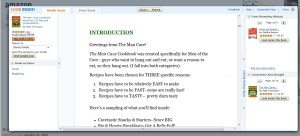
With free books, however, you do not have the opportunity to send a sample to your Kindle or your app.  However, you can still read the sample on your computer by clicking on the Look Inside feature. And, using the feature means that’s one less sample cluttering up your Kindle. Here what it looks like for the The Man Cave Cookbook, which is free periodically.
Click=big

Sometimes, however, samples can cause as many problems as they solve. Some people have pages and pages of samples on their Kindles. Those samples take up space and memory and must be indexed, just like books. In other words, too many samples can cause the same problems as too many actual books!

Fortunately, there are several ways to help organize your samples.  One method is to send all your samples to one place. That can be your Kindle app on your computer or phone. That way, you can read a sample when you have a spare moment to read, but not enough time to get immersed in an entire book. If you have more than one Kindle, you can designate one for all your samples.

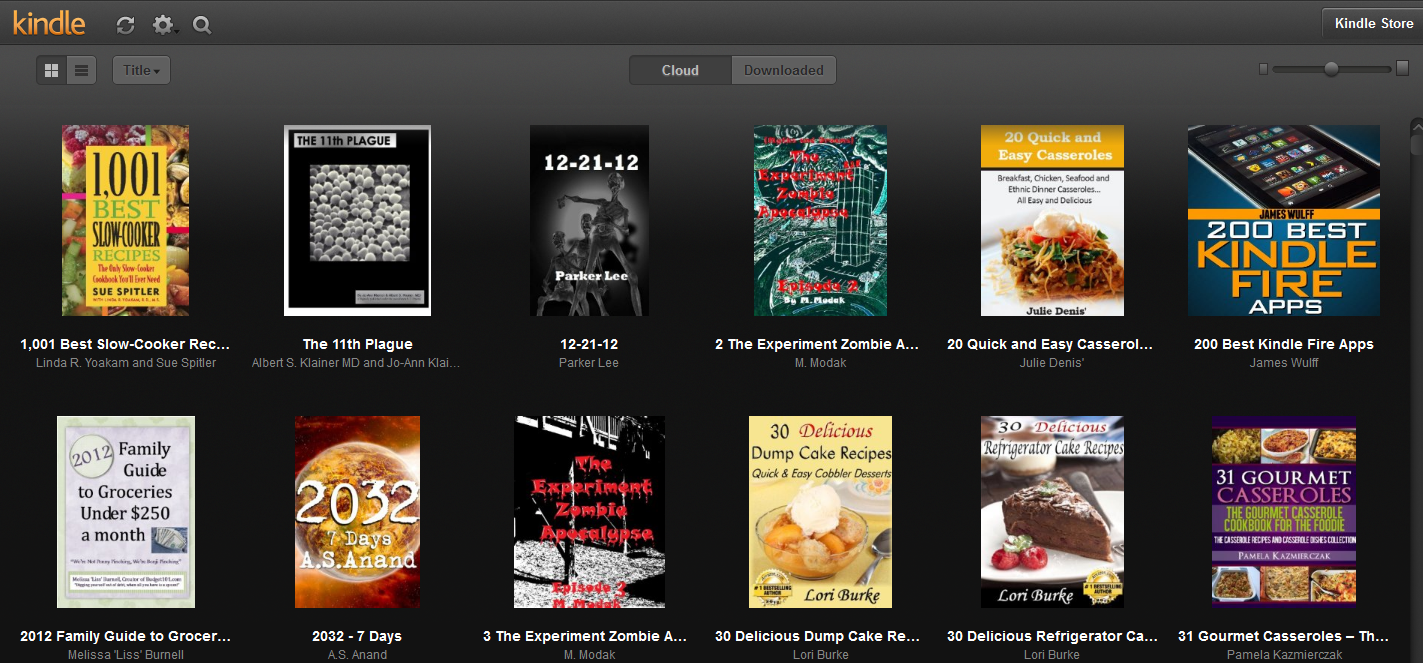
If you want to keep your Kindle totally uncluttered by samples,  you can send them to the Cloud Reader instead of your Kindle. As seen in the picture below, samples on the Cloud Reader show their covers, which can give you a visual jog to help you remember the book.

Click=big

In Part Three, we will discuss organizing your TBR pile, including more ways to organize books you haven’t even downloaded yet. Note: Due to a family emergency, part 3 was never written.

Managing your Free Kindle Books, Part One: The Problem with Free

This is the first in a three-part series. Most of the information in this series of posts is specific to the Kindle line of e-readers  and the Amazon bookstore.

A while back, I did a post on where to find free books for your Kindle. A few more are listed in this article on tips for the new Kindle Owner. When I bought my first Kindle in 2008, free books were very few and generally, offered by major publishers or their imprints. Back then, with few freebies and books going for an average of $9.99,  it made sense to grab every free book that was available. And there were some good ones: I got Tess Gerritsen’s The Surgeon (the first book in the Rizzoli and Isles series) and  Julia Spencer-Fleming’s In the Bleak Midwinter  as just a couple of my early free books.

Now, it’s a different landscape. With Amazon’s KDP Select publishing, literally hundreds of free indie books are offered daily. The number of blogs, websites and newsletters letting you know the daily free books has multiplied exponentially. Even Amazon has made it easy with a list of the top 100 bestsellers, free and paid, on their website.

So now, the TBR pile (your stash of To-Be-Read books) has become a problem of its own.

This is where the difference between digital and physical books becomes quite clear. For a print book reader, the TBR pile was self-limiting. As some point you literally run out of room, your books fall off the nightstand, or the bookshelf simply will not hold anymore.

For book lovers, digital books didn’t have that problem. No cluttered piles of books. Promises of storage for 2000 to 3000 books on your Kindle.  And, with e-readers that had expandable storage options like the first generation Kindle, you could just keep adding more and more books.

Or so it seemed. Try finding a particular book when you can’t exactly remember the name of the title. What happens when you can’t even see all your books in your archives? What happens when your battery won’t last through a book because it is constantly indexing? What if your Kindle starts to malfunction because it is too full? (And yes, that actually happens!)

So now, it seems, the problem has reversed itself: Instead of asking where do I find free books, people are asking where do I find good free books and, more importantly, how do I organize them all? Who would have ever thought that managing free books for the Kindle could actually be considered a problem?

Are you tired of sorting through lists to find free books that are actually worth your time? Maybe you are one of those people who like an uncluttered Kindle home page. Maybe you have so many books on your Kindle that you can’t find or organize them all. Maybe you are tired of books that are badly written, unedited or badly formatted.  Or, perhaps, your Kindle is actually starting to slow down or malfunction because of the sheer volume of books you own.

Over the next few blog entries, we will try to address solutions to some of those problems.

Next time in Part Two: Choosing more wisely and finding sites that will help you do just that.

And in Part Three: Organizing your Digital TBR Pile. Note: Due to a family emergency, part 3 was never written.

News Bits and Bytes for November 3, 2011

There’s lots of news today on the Kindle and Nook fronts….

There is a lot of buzz today about the Kindle Lending Program.  None of the “Big Six” publishers are yet on board with what is rumored to be the start of Amazon’s “Netflix for books” lending program for books. This article from Paid Content fills in some of the details.

There is already a list of categories for the books in the lending library, and I predict that you will see lists of the books available soon.

There’s also  a thought-provoking article in Publisher’s Weekly that talks about Amazon’s program and how libraries may fit into the future of lending.

On the Nook front:

According to Engadget, The Nook Simple Touch price is being reduced to $99, effective November 16, 2011. And, B & N is pushing the fact that there are no ads!

B & N is also reducing the price of the original Nook Color to $199. In addition, they are adding apps for Hulu plus and more streaming music options for the device.

Engadget is also reporting that B & N’s new Nook Tablet (the successor to the Nook Color) will retail for $249. The tablet, which launches November 7, is touted as having everything the current Nook color has plus “the best in HD entertainment.” In-store demos start on November 15.

Kindle Lending Library Details

Amazon explains the Kindle Lending Library program in more detail on their help page for the lending program.

A few main points:

  • The program is only for Amazon Prime Members
  • The program is only open to U.S. Kindle and Fire owners
  • The books can only be read on devices, not the software apps. They cannot be read on an iPod or iPhone.
  • The device must be registered to the same account as your Prime membership
  • The program does not begin until Thursday, November 3, 2011.
  • You can only read one book per month with no “roll-overs.”