Update Your Kindle… or else!

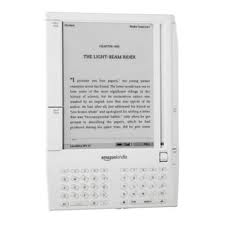
Kindle 1If you have a older, pre-2012 Kindle that you haven’t updated recently, Amazon is letting customers know that it’s time to do something about that.

This morning, I received an email from Amazon reminding me that I have devices that need to be updated.  Now I am being told that unless I update them, I will no longer be able to “continue downloading e-books and using Kindle services.”

According to the email,

If you do not update the devices’ software by March 22, 2016, you will no longer be able to access Kindle services or get the update via Wi-Fi or a wireless connection. To resume access, you will need to manually update the software on each of your Kindle devices.

Note that you WILL still be able to update your Kindle after that date. You will just need to manually download and install the update.

The frustrating thing about the email is that it doesn’t indicate which Kindles need the update. I have two first-generation Kindles that I am not using right now. The devices are currently being stored with batteries removed until to decide what to do with them, so I assume that they are included. However, I also have a DX and Kindle Keyboard which I will now have to double-check to make sure they are up to date.

A lot of people have given or loaned older Kindles to family and friends. Since this is a critical update, you may need to check too make sure the devices are running the most recent version of the software. People who have modified or “jail-broken” their devices may have a problem going forward.

You can find instructions on how to update your particular Kindle model here. If you are not sure if you need to update, there are also links on the page for checking the software version for each model Kindle.

Did you get a notice to update?

What’s Your Old Kindle Worth? (Updated)

Kindle trade in

Amazon has a promotion going on encouraging you to trade in your old Kindle. It sounds pretty simple. You answer a few questions about your Kindle’s condition to get a trade in quote. Then, print the label and send it in. Amazon will verify the condition and apply a gift card to your account.  You also receive a $20 discount good towards the purchase of a new Kindle, Kindle Paperwhite, Kindle Voyage or Kindle for Kids bundle.

You can trade in any of the following e-ink Kindles:

  • 1st Generation Kindle
  • Kindle 2nd Gen Free 3G
  • Kindle 2nd Gen U.S. Wireless
  • Kindle 5th Gen (black) Wi-Fi
  • Kindle 4th Gen (graphite) Wi-Fi
  • Kindle Touch Wi-Fi
  • Kindle Touch Wi-Fi + 3G
  • Kindle DX (white) 3G
  • Kindle DX (white) U.S. Wireless
  • Kindle DX (graphite) 3G
  • Kindle Keyboard (white) Wi-Fi + 3G
  • Kindle Keyboard (graphite) Wi-Fi
  • Kindle Keyboard (graphite) Wi-Fi + 3G
  • Kindle Paperwhite 6th Gen Wi-Fi
  • Kindle Paperwhite 6th Gen Wi-Fi + 3G
  • Kindle Paperwhite 5th Gen Wi-Fi
  • Kindle Paperwhite 5th Gen Wi-Fi + 3G

Have a broken one? No worries. Even non-working Kindles are eligible for trade-in.

There are limitations, terms and conditions to the offer which expires on March 31, 2015*. You can find out more info here.

I have several working 1st generation Kindles I need to decide what to do with. This might be worth checking into as an option, although the last time I checked the trade in values, they weren’t offering a lot. I think it would be a no-brainer for a non-working device or one whose battery doesn’t hold a charge anymore. It is a great incentive to recycle or upgrade a device.

Are you interested in trading in your old Kindle towards a new one?

*Updated to add that I think this may be a misprint as the promotion just appeared, but I am  checking with Amazon to verify.

*Update 2: I spoke to Kindle customer service and they assured me that this offer is indeed still valid. The CS rep I spoke to also thought that this was a typo (it is the first day of 2016) and that would be she would be initiating a support request for someone to check the web page copy. 

*Update 3: The first date was a typo. This offer ends on March 31, 2016.

Prime Perks for Kindle and Fire Owners

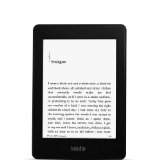
paperwhiteThis year,  my son finally asked for a e-ink Kindle. So, for Christmas, I bought him a Kindle Paperwhite and one of the $50 fire tablets.  Since he is already a Prime Member (another gift from mom and dad), I wanted to fill him in on a couple of Prime benefits that only applied to device owners. Since this is the time of year when many people get Kindles for the first time, I thought I would share these with everyone.

Kindle Owners’ Lending Library (KOLL) allows Prime members to borrow one (1) book per month for free.

  • Works on Kindle e-reader, Fire tablet, or Fire phone.
  • Only available for device owners with memberships to Amazon Prime.
  • Borrowed KOLL titles may also be shared with another adult in your household through Amazon Household and Family Library with select Prime memberships.
  • Eligible books display the Prime logo. There are over 500,000 books in the lending library.
  • Complete instructions with video are here.

A couple of important points here:  First, there is no master “list” of book available to lend (the books actually change all the time). Secondly, you are not able to pick books from the web or the Kindle app. You also can only browse the Kindle store from your device to see which books are available to borrow. This tends to be a source of frustration for a lot of people, but it is the way the program works.

Kindle First is a program that offers customers early access to new Kindle books across popular genres from Amazon Publishing.

  • Every month Prime members can choose one (1) of the books selected by Amazon’s editors for FREE.
  • There are generally four to six books to choose from. These are books that will be released the following month.
  •  Kindle First books can be read on any Kindle device or free Kindle reading app and become part of customers’ permanent libraries.
  • Prime invitees are not eligible for free downloads.
  • Prime members can sign up to receive a monthly e-mail newsletter announcing new Kindle First picks.
  • Kindle First on Amazon.com is available to US customers only.
  • Complete instructions are here.

Unlike the Kindle Owners Lending Library, these titles can not be shared with other household members. Non-Prime members can usually purchase one of these titles for $1.99.

Over the years, these programs have been one of my favorite features for Kindle owners. I have read entire series that I would not ordinarily have bought. I have also read books that inspired me to go out an buy the entire series after reading the first book. It can be a great discovery tool.

The Kindle Owner’s Lending Library and the Kindle First programs are not meant to be a substitute for subscription services like Kindle Unlimited or Scribd. Rather, they should be thought of as an added Prime membership perk alongside the free shipping, video and music offered with the program.

E-Ink Kindles on sale now

paperwhite_newAs part of their Black Friday Deals week, Amazon has lowered prices on the basic Kindle, the Kindle Paperwhite and the Kindle for Kids bundle,

The basic touch Kindle,  normally $79.99, is only $49.99. This is $30 off the regular price.

The Kindle Paperwhite, normally, $119.99, is selling for $99.99. This is $20 off the regular price.

The Kindle for Kids Bundle, normally $99 is selling for $$69.99. The bundle includes the basic Kindle (without ads), a kid-friendly cover and a two year Square Trade warranty.

Special Black Friday pricing on the Kindles is good through November 30, 2015.

While not on sale, the more expensive  Voyage e-reader  is not on sale, but is available in as part of a special Kindle Voyage Essentials Bundle. That bundle includes a charger and leather cover for $249.97.

BTW, I am a huge advocate of using cases covers for Kindles to protect your investment. I have three cats and a dog. My Kindles have been dropped, knocked on the floor and pounced upon by my pets and they are all still safe and sound. You can find a cover for the basic Kindle for as little as $8.99. 🙂


Happy 8th Birthday Kindle!

On November 19, 2007, Amazon released the first Kindle. It came in a book like case, and included a charger and a plain black faux leather cover. It had a unusual look that reminded me of something I might have seen on a TV show like Lost in Space or Space: 1999. The first Kindle cost $400 and they sold out immediately.

While people were waiting for the Kindles to come back into stock, there were numerous threads on the Kindle forums where customers would post when their order and expected delivery dates. This thread was started in December 2007. The camaraderie among the waiting customers was amazing. It was a very different forum then….

I bought mine in the second wave in the spring of 2008. I absolutely loved it! I cannot emphasize enough what a profound impact this device had on me.

Here’s a video that looks at the very first Kindle:


Here’s a snapshot of the Amazon homepage on November 19, 2007 (Via Internet Archive Wayback Machine):

kindle home 2007 page

(click to enlarge)

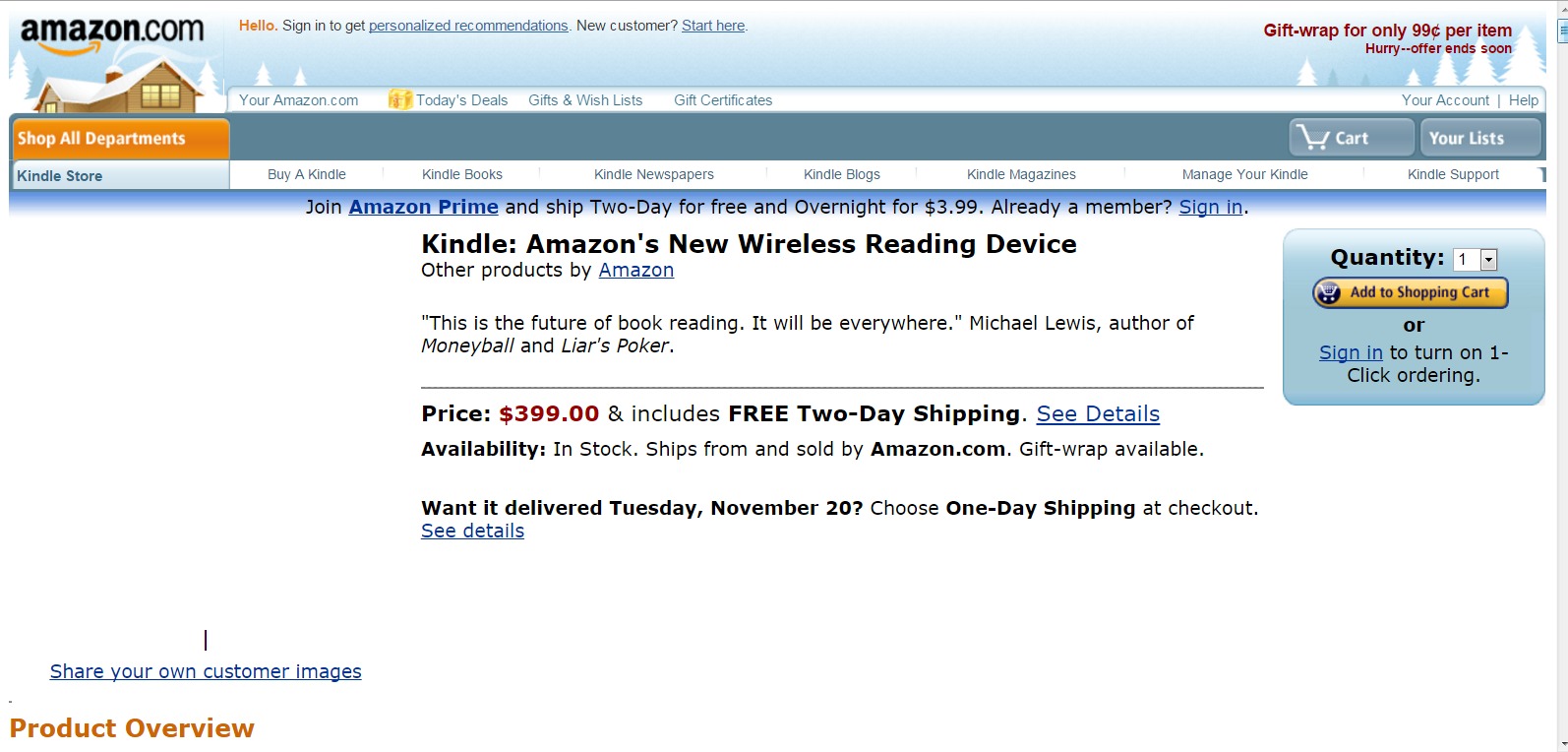
And the Kindle product page (the ASIN was B000FI73MA)

kindle 2007 product page

(click to enlarge)

And, yes, Amazon still sells them, albeit used. And, this version had a user-replaceable battery and they still sell those, too.

So, do you have a story to share on the Kindle’s birthday? Has it touched your life in any way?

Throwback Thursday: The Kindle, Generation One

Next week will be the 8th anniversary of the first generation Kindle. There has been a lot of discussion lately about how both the e-book market and the market for e-readers has changed. I thought it would be fun to take a quick video look back at the first Kindle. Pay special attention to that scroll wheel. It was a big deal at the time! I used to go back and forth between my Kindle 1 and my Kindle 3 (Keyboard). Going back to the scroll button tripped me up every time. 🙂

I still love the look of this device! What do you think? Kindles sure have changed….

New Kindle Paperwhite Announced

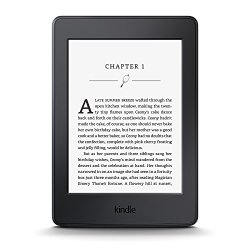
paperwhite_newToday, Amazon announced a new version of the Kindle Paperwhite. It has a 300 ppi high resolution display, equivalent to the Kindle Voyage.  (The current  model is 212 ppi.) Like the current Paperwhite, this new ereader will also soon receive the new font and feature update that includes a new more readable font and enhanced hyphenation and page layout features.  The starting price will remain the same as the current model: $119 with special offers. The device ships on June 30, 2015 and will be available worldwide. You can find out more info and order here.

Amazon is continuing to offer the current Paperwhite covers alongside the new Kindles, so presumably, there has been no change in the size of the device. That is a plus if you like to use a cover; it generally takes a while for 3rd party vendors to catch up if you are looking for a budget priced cover like the MoKo Cover Case  or MoKo clamshell.

Where I am confused is the area of naming conventions. As it usually does for the latest iteration of a device, Amazon is calling this version the “All-new” Paperwhite. If you are keeping score, this new version is actually the fourth for the Paperwhite. There was the 2012 version, the 2013 version (Paperwhite 2) which had 2GB of RAM. Then came the second iteration (2014) of the Paperwhite 2 which had 4GB of Ram. I haven’t yet heard the storage capacity of the new one yet…. It really would have helped if they had called this the Paperwhite HD  or something catchy like that. 🙂

Right now. I am going to pass on a new Paperwhite, unless one of my older Kindles bites the dust. I have two Paperwhite 2’s now, one  2GB and one 4GB. A slightly higher resolution is not enough of an upgrade to make me pull the plug.

So, what about you? Are you tempted by the new, improved Paperwhite?


Kindle Paperwhite for $99

paperwhiteToday is the last day to get $20 off the Amazon Kindle Paperwhite. If you are looking for a front-lit, dedicated e-ink reading device, this one is a great choice. My husband and I both have Paperwhites and love them! In my husband’s case, this replaced the first Kindle Touch. He loves the front-lit screen on the Paperwhite.

Do you have one of these or replace an earlier model KIndle with one? Sound off in the comments and let me know what you think of the Paperwhite.

Daily Links: Kobo downloads, Bendgate, more

From the Digital Reader, How to download Kobo books (including the ones they don’t want you to).

Apple apologizes for IOS 8.0.1, from Mashable and then denies the “Bendgate” problem, fromRecode.

From The Next Web, Google’s latest Chrome build has a hidden game that to play offline.

Cosmixology celebrates Nation Comic Book Day by giving away 25 free comics, from The Digital Reader.

From The Ebook Reader, How to export and edit those Kindle notes and highlights.

Daily Links are interesting links I discover as I go about my online day. The frequency and number of links posted depend upon the daily news.


New Kindles are confirmed and up for pre-order

kindle_voyageAmazon now has the new lines of Kindles and Kindle Fire tablets up for pre-order. I am still sorting through the info, but here are the links to learn more about the new models:

  • The new basic Kindle with touch screen. The price has also increased by $10 over the previous model.
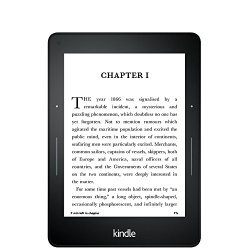
  • The brand new Kindle Voyage, with improved screen resolution (300 ppi), an intelligent frontlight with brightness sensor and a physical page turn  method called “PagePress.”
  • The new Fire HD 6,  a slightly smaller, six inch tablet that will retail for only $99 (with special offers).
  • The new Fire HD 7, starting at $139 (with special offers).
  • The Fire HD Kids Edition, 6″ or 7″ HD Display,  with a blue kid-proof case, your choice of sizes, starting at $149.
  • The new Fire HDX 8.9, lighter and with a faster processor, starting at $379 (with special offers).

Amazon is also rolling out a new Fire OS called Sangria with new, updated features which include individual emails and profiles for family members. Both the Fires and the E-ink Kindles will also be getting a new feature  called Family Library which will allow family members to share books and videos on an account. This is a feature that I have personally wanted for a long time!

I’ll have more to come on the new devices and features! 🙂