Will a Nook Glowlight case fit the new Kindle Fire 6 inch?

javoedge6vintageI am still sorting through all the info on the new Kindle offerings to evaluate the specs and decide which one(s) I want. Amazon has given us lots of choices and I even got an email first thing this morning reminding me of certified refurbished Kindle Fire offerings.

So far, I  am most interested in  ordered the new Fire HD 6″ tablet. It looks like a great size to fit in a purse for use on the go. My problem is that I don’t like to use devices without covers and I also don’t want to spend nearly $30-$40 for an official Amazon case. I am fussy about cases and didn’t like the Amazon case  I bought for the Fire HD 8.9. I have usually used third-party cases on my Kindles, beginning with my first Oberon case for the Kindle 1. However, this is a non-standard size tablet and it seems there is nothing available to fit, at least, not yet.

Checking the measurements for the new device and looking for a workaround, I took a look at my current case for my NooK Glowlight. Made by Javoedge, the case looks like it might fit, given its size and the way that it is made.

The JAVOedge 6″ Universal eReader Book Case is described as a universal case, designed to fit the Nook Glowlight, Kindle Paperwhite, Kobo glo, Kobo Aura, Kobo Touch, and the Kindle. It comes in a variety of patterns, including one with a metallic finish.

Pros of the case are lightweight, flexibility in sizing due to the loops holding the device in place and the way it is constructed.The price is a distinct advantage as it is $14.99 versus $30-$40 for the Amazon brand case.

There are a couple of downsides to the case. One is the fact that there is no sleepcover function with this case (or not one that works on my Kindle Paperwhite). Another is the quality of the case. It seems like it is essentially covered cardboard, slightly lighter than that of a hardcover book.  And, because it is designed for an e-reader, it does not have the ability to be used as a stand for normal tablet use.

I have not had any problems at all with the one I use for my Nook Glowlight. I have a one with a cute owl pattern. Yes, I am a cover junkie! 🙂

I have no doubt that one the new Kindle Fires start shipping, we will quickly see new covers for the six inch Fire available on the market. While I don’t think that this is a cover I would want to use long-term (it is not, after all, really designed for tablet use), I intend to try it as a short term solution until new covers are available. Note that I do have other devices (Kindles and Nooks) that will fit this cover, so it is not much of a risk for me to try.

This isn’t the first time I have done this. When the original Kindle Fire came out in 2010, I used the faux lether cover that came with my Kindle 1 for the Fire  until I could find something I liked.

Updated: The answer to will the case fit an HD 6 is no. The case is too wide to safely hold the device. I talk about this in my review of the Fire HD 6.
New Kindles are confirmed and up for pre-order

kindle_voyageAmazon now has the new lines of Kindles and Kindle Fire tablets up for pre-order. I am still sorting through the info, but here are the links to learn more about the new models:

  • The new basic Kindle with touch screen. The price has also increased by $10 over the previous model.
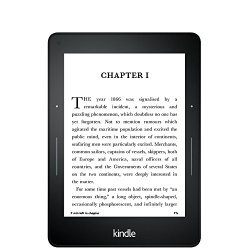
  • The brand new Kindle Voyage, with improved screen resolution (300 ppi), an intelligent frontlight with brightness sensor and a physical page turn  method called “PagePress.”
  • The new Fire HD 6,  a slightly smaller, six inch tablet that will retail for only $99 (with special offers).
  • The new Fire HD 7, starting at $139 (with special offers).
  • The Fire HD Kids Edition, 6″ or 7″ HD Display,  with a blue kid-proof case, your choice of sizes, starting at $149.
  • The new Fire HDX 8.9, lighter and with a faster processor, starting at $379 (with special offers).

Amazon is also rolling out a new Fire OS called Sangria with new, updated features which include individual emails and profiles for family members. Both the Fires and the E-ink Kindles will also be getting a new feature  called Family Library which will allow family members to share books and videos on an account. This is a feature that I have personally wanted for a long time!

I’ll have more to come on the new devices and features! 🙂


Did You Know: Quick Fix for a Frozen Screen

Here’s a quick fix for when your Kindle is running slow or freezes entirely:

  • Press (or slide) the power button and HOLD for 20 seconds.
  • After 20 seconds, release the power button.  (On the Kindle Fire, press the power button again.)
  • The Kindle start up screen will appear shortly.

Here are more troubleshooting tips,  with pictures, including a nifty timer to count down the seconds to hold down your power button. 🙂


What model Kindle do I have?

kindlefireRight when they first came out, I bought one of the original 7″ Kindle Fire Tablets. I use it for games, movies, listening to music and looking up facts on IMDB. While I don’t normally like reading on it (I prefer e-ink), I do find that the full color is great for reading cookbooks.

At Christmas, I received one of the 8.9 Kindle HD Fires as a gift and  now use that one for most of my movies, music and games. But I have reached the point where I own enough Kindle cookbooks  that I am actually considering dedicating my original Kindle Fire for use solely as a cookbook. I actually have so many cookbooks purchased across two Amazon accounts, I am also considering buying another 7″ Kindle Fire to use as a second cookbook for the other account.

Since my intended use for the device is so specific, I don’t necessarily need the latest model, at least not for a cookbook. So, I am trying to decide whether to buy a new one, a certified refurb or a used one. And,  as I am starting to research these options, I realized that trying to compare apples to apples is a little more complicated than I originally thought it would be.

The first difficultly is that people frequently use names for the  Kindles that are not the official Amazon device names.  For a long time, Amazon just called the latest edition of the device just the Kindle (no numbers), as if the earlier versions didn’t exist. Just look at the e-ink line: What many people call the Kindle 3, for example, is now officially called the Kindle Keyboard. And the $69 Kindle is alternately called by most people either the Kindle Basic or the Kindle 4 or Kindle 5 (there are two versions, based on a difference in color).

The model names on the Kindle Fires are especially confusing. Let’s look at just the one I am looking for:  the 7″ tablet. There’s the original Kindle fire,  the new Kindle Fire (which was called the Kindle Fire 2) in either 8GB or 16GB, the Kindle Fire Hd (16GB), the Kindle Fire Hd (32GB), and the 2013 Kindle Fire HD 16GB. There are also four separate versions of the Kindle Fire 8.9! The newer versions of the Kindle HD tablets are now called the HDX. And some devices are WI-FI only and others have cellular.

If you are looking at buying used on ebay, you will see that everybody uses different terms.  Some use terms like “latest generation,” some have model numbers “D01400,” or “3HT7G.”  Some just list 7″ wi-fi, 8GB.” One just said “Dual -core. ” Others list confusing terms like  “Gen 2” and “2011.”

It became really apparent to me that some people might not know exactly what model Kindle they have.

Obviously, I want to know what model I am buying. But even if you are not in the market for a used Kindle, it can be very helpful to know what model Kindle you own. It makes a big difference with support questions; each of the different models works in different ways and has specific features. And if you want to buy a case or accessories, you HAVE to know what model you have; the cases are not interchangeable.

So, how do you find the model for your Kindle? Amazon does have a help page for identifying your Kindle model and that’s a good place to start.

If you are still not sure which one you have, you may need the model number. To find it, from your computer, log in to your Amazon account and under account, choose Manage Your Kindle. On the left sidebar, go down to Your Kindle Account and click on Manage Your Devices.  You will then see all your Kindles and apps listed. The first four characters are your model number.

If you have the original box, the Amazon model number is printed on the box. You can also access the model number from the settings page of the device.

Once you have the model number, you can find out which Kindle or Fire version you have. MobileRead has a chart where you can look up the number and it will tell you which model you have. This chart does not seem to indicate the HDX models.

If  the model number doesn’t help, you may be able to determine which model you have by looking at the feature list. This is particularly helpful on the Kindle Fire HD models, where the 2012 version has a micro HDMI port and the 2013 version doesn’t .  And, if you have the Mayday feature on your Kindle Fire, you have the HDX!

If you still can’t find the model, you can search or post in one of the following message boards:

And if all else fails, you can call Kindle Support at Amazon. (Make sure you call the special support line for the Kindle. The regular Amazon customer service representatives are not trained for technical Kindle questions.)