Reactions to Amazon Lending Announcement

Wednesday’s announcement by Amazon that they will finally allow library lending for the Kindle has caused quite a stir on many of the various ereader discussion boards.

Reactions to the news was both mixed and interesting.  Here’s a sampling from some of the forums:

The shock and disbelief crowd: “………..runs off to check the thermometer in HELL!!!!!!”
The cynical crowd:  “Welcome to the 21st century, Amazon!”
Great in 20 years when my library finally gets ebooks I will be all set. I wonder if my kindle will last that long….”
“Good. Now maybe those folks will stop complaining about it.”
“You need to sticky post this over in the Q & A forum as well where the “Why can’t I get library books while every other eReader can?!?!” complaint gets posted just about daily.”
The grateful crowd:  “I am SUPER excited… THANK YOU AMAZON for listening your consumers!”
“Inability to check out library books is the ONLY thing I dislike about my Kindle.”
“This is awesome news! Guess I will finally have to get a library card again.”
“Now my kindle will be perfect!”
“The now I’ll buy a Kindle” crowd:   Now I will buy a Kindle.”
 “I’ve been waiting for Amazon to do this before I’d buy a kindle. Guess I’ll probably be getting one now!”
The too late crowd:  “Oh, finally!!! If only I had known two months ago before I bought a Nook so I could borrow library books!”
The “I was going to buy a ____ so I could read library books” crowd:  Fill in the blank with Nook, Sony, Kobo, etc.
The wanting more and can’t make ’em happy crowds:
“Now if there was only a color version of the Kindle…”
“This is terrific!! Thank you so much 🙂 Please let there be text-to-speech on the library books too, please!”
“Great news. Hopefully the ability to lend your own books to friends more than once will follow.”
“Unfortunately this won’t help the fact that my library has a really poor collection of ebooks and that many major publishers won’t release their ebooks for libraries or severely limit them. But it is definitely a step forward.”
 
The altruistic crowd:
“Fantastic! Hey Mr. Bezos, one more idea from your customers: when I buy a book from you, after I’m done reading it can you work with Overdrive to figure out a way I can relinquish the e-book and donate it to a library of my choice? Library budgets are tight, and that would be a great way for you, and your customers, to help libraries keep up with technology.”
 
Concerned for other readers and the libraries crowd:
“Definitely not good news for the other readers – their one big advantage was library books.”
“I do hope it won’t add too much to library expenses. And it will take awhile before many libraries offer this. As it its my local library is not set up for lending to e-readers (I do know about other lending libraries). But I foresee Kindle getting the lion share of business (in the USA) once it happens. I know more people with Kindles than other e-readers.”
Librarians’ reactions to the news show more concern than excitement, as this article from the LibraryJournal.com website  shows. You can follow the ongoing discussion on Twitter under the hashtag #AZOD.
So, what about you? How do you feel about the news?
This blog entry composed while listening to The 99 Darkest Pieces Of Classical Music.
Kindle DX on sale

Today’s Amazon Gold Box Deal is the large screen Kindle DX for only $299. It normally retails for $379.

The item raises a couple of interesting questions. Amazon never puts the Kindles on sale, so does this item mean that we are going to be seeing either a new Kindle DX or the much rumored Amazon Android Tablet soon? Kindle aficionados have noted that the DX hasn’t had any updates recently, another possible sign that Amazon is close to rolling out a new product. Most users think that it doesn’t handle fonts and PDFs as well as its Kindle 3G  counterpart. The DX is also not available in WiFi – a definite deal breaker for me, even though I would love the larger 9.7 inch display.

Stay tuned for future updates…

An Ad supported Kindle

On today’s Amazon home page  – the announcement for the ad supported Kindle for the all-time low price of $114. The device feature ads on the screen savers and the home page. It also has special coupons and offers for customers accessed through the Kindle. The new Kindles start shipping in May.

You can read more in this article from the Associated Press.

If ads on the books are the ereaders of the future, I think I will pass. Especially with some of the low prices on Nooks and Kobo readers that have been available lately. Terribly disappointing, Amazon.

Using the Literati

Note: This is a follow up to my previous post “Literati ereader on sale.” 

After trying my new Literati for a few weeks, I thought I would share my perceptions about the reader.

The Literati needs a software update when you start using it for the first time. While I have heard of problems connecting to WiFi, mine connected without any difficulties. The software actually requires two updates and the device needs a restart after the first. The reader does not automatically restart and I had to do it manually.

The Literati is less intuitive and is much more complicated than either my Kindle 1 or My Kindle  3. It took a little time to figure out the operations of the eReader. The input keys are a little too close together in my opinion, especially if I was going to be using the keys more than occasionally. The D-pad control is definitely too small and even after more experience with the device, it still is the cause of most of my operational errors.

The page forward and page back controls are not actually buttons, but are touch sensitive, which is a nice touch. Since the controls are not buttons, there is no noise associated with using them. This is a real plus if you are trying to read in bed without disturbing your partner.

I am used to reading on a Kindle, which has an e-ink screen. The Literati screen is a backlit one. Because I have vision problems, I found the backlit screen very difficult to read on, especially for a long session.

The exception was the Literati’s night reading mode, where the screen is black and the text is white. This mode is truly excellent for night-time reading. In some reviews,  people have complained about not being able to see the forward and back page controls when reading in the night mode. Some have suggested gluing reinforcements on the buttons to be able to feel the controls. I found that if I used my thumb, started at the bottom of the display screen, and moved with an upward motion until I saw the page turn symbol on the display, I could turn pages in the dark just fine. Using the d-pad control and the home buttons in the dark was another story. I have to use my Mighty Bright or my Kandle in order to see those.

The Literati is tied to the Kobo bookstore, which is not as intuitive to use as Amazon. I had a little difficulty in navigating the site and finding the books I wanted. After creating an account, I was able to start downloading the 125 free public domain books fairly easily. The new books appeared on the Literati after I synced the device.

It seems to be hit or miss whether my computers recognize the device via USB. My netbook running XP recognized it and the books I put on showed up in the Literati’s bookshelf  just fine. Vista was able to recognize the device, but books I loaded onto it were not recognized by the reader. After a second attempt, of the two books I loaded, one book was shown on my bookshelf on the Literati while the other was not.  The Calibre software program recognizes the device with no problem.

The Literati is also quite heavy for its size. Because of this, I found that it is easier to read without a cover on. The difference in weight between the Literati and the Kindle is significant.

I haven’t tried the SD card function yet.

I wanted the Literati because it is capable of borrowing library books. After using the Literati, I realized that I would really need another e-ink device if I wanted to borrow library books. Right after I came to that decision, Harper Collins announced that it would limit the number of times an eBook would be allowed to circulate in order to force libraries to buy new copies. Because of this, coupled with the fact the Macmillan and Simon & Schuster do not allow library lending at all, I have put plans for a new eReader on hold.

My final opinion is that this is okay for night reading and as a backup reader. However because the backlighting is really hard on the eyes and the device is very complicated to use, I would not want to be using this for my primary eReader.

This blog entry composed while listening to Drunken Lullabies by Flogging Molly.

New York Times Kindle Covers

One of the things that is great about the new popularity of eBook readers is the ever-increasing number of accessories that are available.  The plethora of choices really allows an eReader owner to personalize their reader and express their own individual personality.

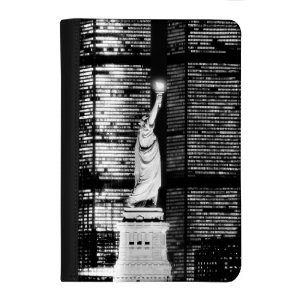
Today, I saw these new covers for the Kindle and absolutely fell in love! Made by Verso, each of the three covers features an image of New York City from the The New York Times Photo Archive.  The pictures included in the series are View from River House, The Flatiron Building and The Statue of Liberty (pictured). The Amazon page for each cover includes information about the photo.

This blog post composed while listening to The Best of Sam Cooke.

New Kindle Notepad App

There’s a new Notepad App available for the Kindle that looks pretty interesting. The ability to take notes on the Kindle has been something that many users have been asking for. This one has many of the most requested features: Speed, searchability, ease of use and the ability to transfer files to a computer. The early reviews on the program are quite promising. And did I mention the fact that it’s only a dollar?

The developers have put some video explaining the use of the program on their blog.

A couple of caveats for new Kindle users: This is active Kindle content which does not work on the first generation Kindle (K1). It should work on the second generation Kindle (K2). As of March 17, the app is not yet available for purchase in Canada.

I just downloaded it myself and will do a review as soon as I have had a chance to work with it.

This blog entry composed while listening to Masaaki Suzuki’s Bach, J.S.: Motets

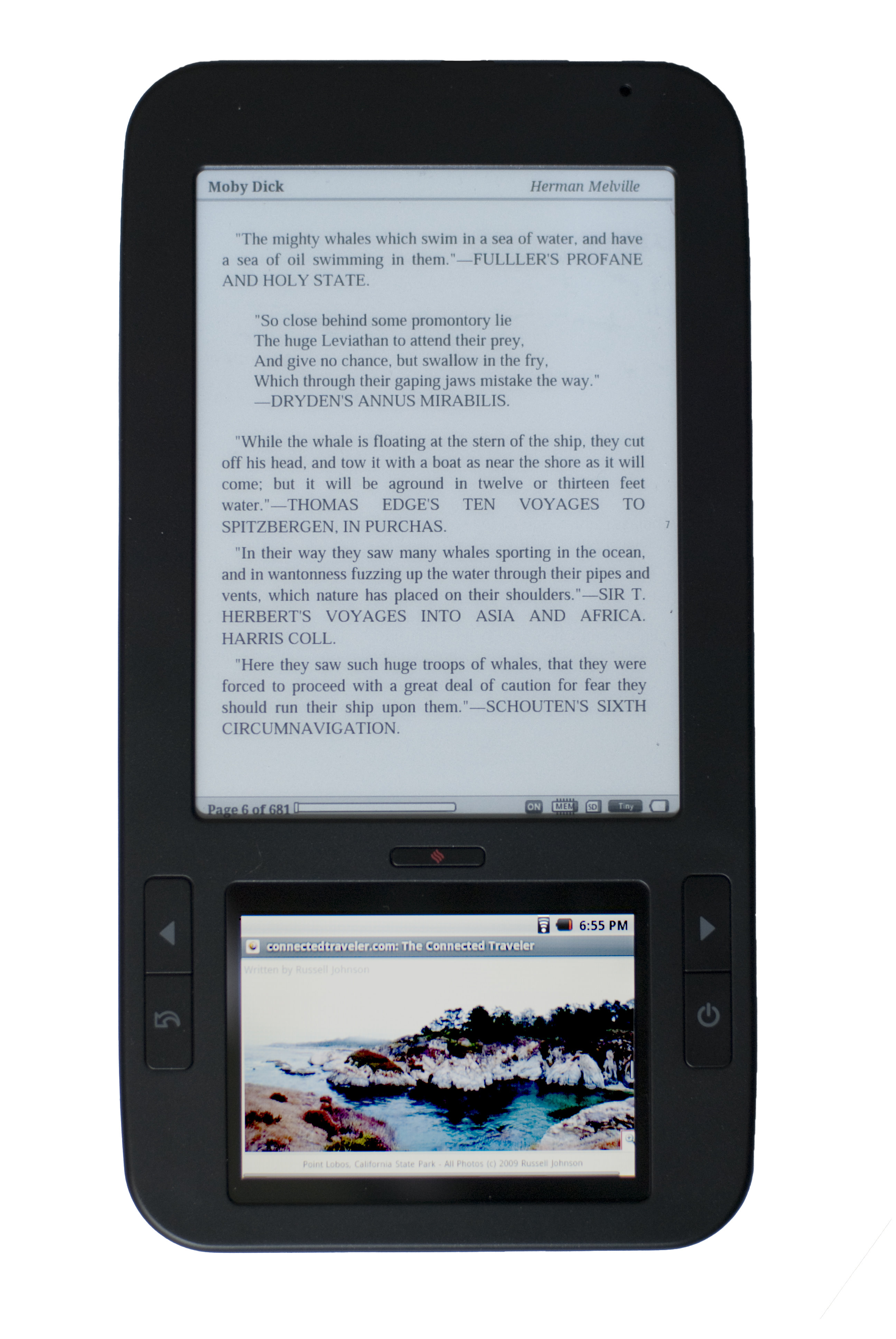
Barnes & Noble Settles Lawsuit with Spring Design

According to eBookNewser, a settlement has been reached in the suit between Barnes & Noble and Spring Design.  The announcement follows the February 22, 2010 news that Spring Design is discontinuing it’s Alex ereader.

Under the terms of the confidential agreement, Barnes & Noble is granted a non-exclusive license for the use of Spring Design’s patents.

RIP, Spring Design Alex

According to an piece in Engadget, the Spring Design Alex reader is no more. The reader looks very similar to Nook and the design similarities between the two formed the basis for a lawsuit between Spring Design and Barnes and Noble.

Since the success of the Kindle and the Nook triggered a spate of companies coming out with eReaders, I will not be surprised to see more companies abandoning product that cannot successfully capture an acceptable share of the eReader market.


10 Questions to Help you Choose an eReader

Before you rush out to buy an eReader, there are a few questions that you should ask yourself first. Every eReader has different features as well as strengths and weaknesses.  The  way you answer these questions helps to determine which eReader will work best for your personal needs.

Do you know your reading habits?  How much do you read? When and where will you be using the device? Indoors or outside in direct sunlight? Mostly at home or on the go? Do you need a backlit device or one with an additional light?

What will you be reading on it? Will you be reading books only, or are you interested in magazines and newspapers as well? Will you be buying mostly new books or older public domain classics? Are you interested mainly in free books? Are you reading  academic books or mainly for pleasure? Do you need to annotate text or share page numbers as in a reading group?

Do you need special features like voice guided menus, text-to-speech or a touch screen?

Do you know what device features are available?  Do you need a device which is easy to operate or are you a gadget geek? Which features are most important to you? Battery life, WiFi, 3G, or availability of  font sizes? What type of screen do you need: e-ink or color? What about features like a  touch screen, book lending, library borrowing, or expandable storage capacity? Do you want a device that can download from anywhere or one that must be used with a computer?

Do you tend to  shop at one book store more than another? Each eReader is tied to a particular bookstore: The Kindle to Amazon, the Nook to Barnes and Noble, The Kobo and Literati to the Kobo store and so on. Book selections also vary among the different stores. Each store also has different DRM formats which means that books purchased from one store will not be readable on another device.

Do you know the readers’ company solvency and committment to the product? Sharper Image and Borders have both filed for Bankruptcy protection. There have been several companies that have announced plans for eReaders which have then been quietly withdrawn such as Copia. Obviously, these issues affect your warranty and customer service support for a reader.

What kind of customer service is available for the device?  How much customer service are you likely to need? Does the company provide an 800 number? Are there message forums where you can get help from other users?

What formats can the device read? Different eReaders use different formats and different DRM systems. Current formats include epub, word, txt, prc (mobipocket), Amazon kindle, PDF. All devices are not compatible with all formats.

How many books are available for the device? Amazon, Barnes & Noble, Borders, Kobo, and Google Books all have various numbers of books available, although formats  and DRM vary from store to store. Library books may have additional DRM. Make sure that your eReader is supported.

Are you located in the United States or outside the US?  Unfortunately, there are geographical restrictions on ebook availability. International customers and travellers may see added charges for wireless delivery and taxes such as VAT. This can also be a factor if you travel outside the country.

Have you done your research? Read reviews and user forums before you buy. This helps you to get a feel for the experience of using the eReader. I lurked on the Amazon forums before I bought my first Kindle (a $400 purchase at the time). Because of that, by the time I actually decided to buy, I was very comfortable with the Kindle and the pro and cons of the device.

Have you tried an eReader for yourself? More and more stores are starting to carry eReaders. Take advantage of the this fact and get a hands-on feel for the device. Try out a friend’s or ask someone about it if you see a reader out in public. Most people who use eReaders are happy to answer questions!

Check out stores’ return policies for the devices. Some retailers, like Amazon, offer a 30 day trial period within which the device can be returned for a full refund.

By asking yourself a few questions, will be able to evaluate the information in eReader reviews. By using this information to compare eReaders, you will be sure to get the reader that’s just right for you!

The eReader of the future…?

One of the questions everyone asks is when will there be a color Kindle?  By all accounts, color is the next eagerly awaited big feature for dedicated eReaders. Are we there yet? No. But as this video from Sony shows, the research is well under way.

So, what’s on your wish list for an ereader feature? Is it color? Video? Leave a comment and let me know!