Amazon is hosting Kindle discussion with an Oasis giveaway

oasis_slideThe Amazon Kindle team posted a notice on the Kindle Customer Forums that they will be hosting a discussion there starting at 7 a.m. Pacific time on Monday, July 18, 2016. The purpose of the discussion is to share feedback with the Kindle Team on how they can interact more meaningfully with Kindle Customers.

During the discussion, the Kindle Team will be providing links to participants where they can enter giveaways for two Kindle Oasis e-readers.

Amazon staff will be online in the forum from  7 a.m. PDT to approximately 11 p.m. PDT on Monday night and then back for a short while on Tuesday morning.

I am interested to see how this discussion goes. Generally speaking, Amazon representatives rarely post on this particular forum. This is a customer forum and, while people post questions and seek help with device questions, it is typically customers helping other customers. As with any loosely moderated forum, there can sometimes be a fair amount of trolling and snark on the boards. Personally, I would love to see more official Amazon involvement on the forum.

Have something you want to let Amazon know? The Kindle Customer Forum is located at https://www.amazon.com/forum/kindle/.

So my computer hard drive died….

computer-problem-152211_1280Hey, fun times. My computer hard drive died and I have been hobbling along, trying to get by with my Chromebook and a few tablets.  It is just not working. Even checking email is a hassle. While I love my Chromebook, I am a power browser and trying to do daily link posts without crashing the few windows I can have open on 2GB of RAM has been frustrating.

Today, I ordered a new desktop computer and will be busy getting ready for the new machine and trying to figure out who can do data recovery on my old machine. Shopping for a new device as we are moving both into Windows 10 ecosystem and transitioning into a true cloud age of computing has been interesting. I work with most things from the cloud, but since I also make video and audio files and do recording, I need programs that can run locally too. (And, yes, there is a blog entry coming about the experience.)

Anyway, with all this going on, I will be taking a few days off from my regular daily posting schedule. That means no Friday Echo and no Daily Links and Deals posts. I may be posting the odd piece, but I probably will be not be back to a regular schedule for a few days.

I’ll be posting any interesting finds on Twitter, my Google Plus page and on the Ebook Evangelist Facebook page.

So, does anyone have any good computer malfunctions stories to share? Have you ever gotten “the click of death”?

Amazon offers Prime members phones … with ads

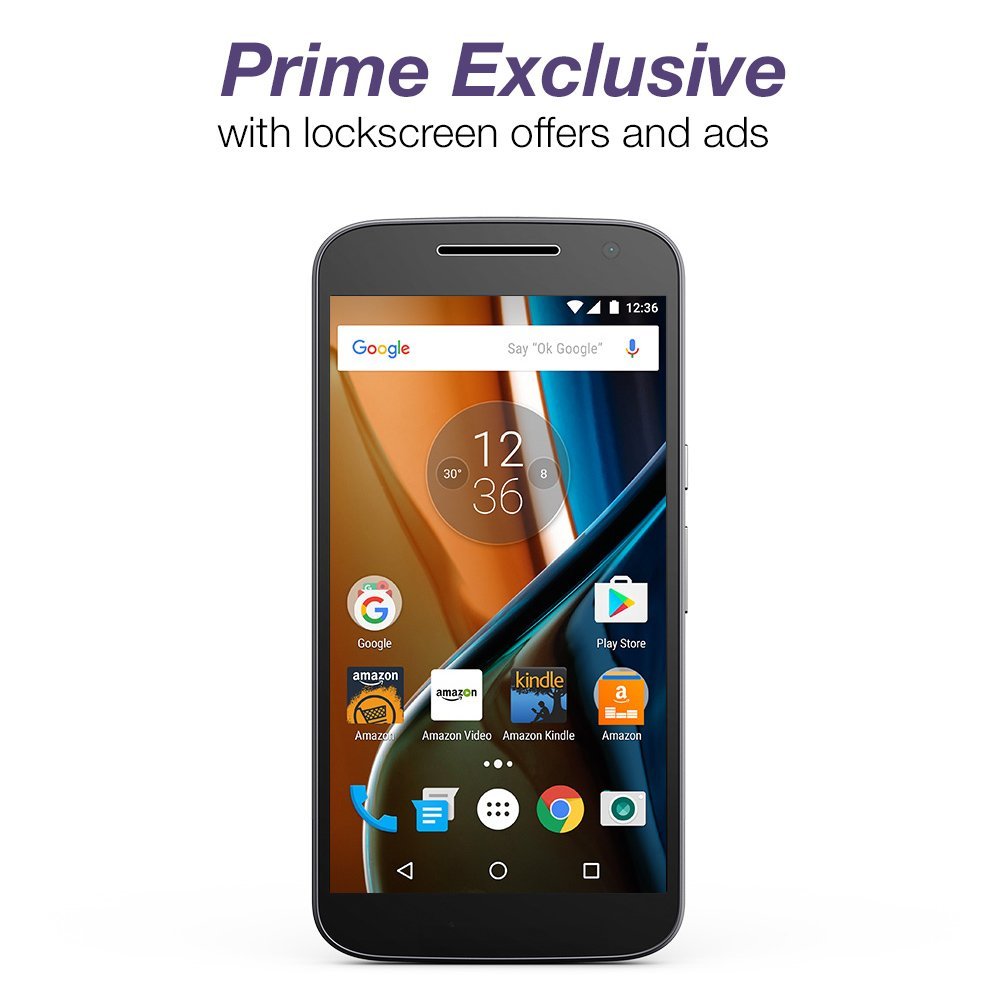
bluAmazon has announced a new special just for Prime members: Unlocked android phones at a reduced price. If you are a Prime subscriber, you have your choice of either a Blu or a Motorola G unlocked phone for up to 50% off the retail price. The catch is that, just like the Kindles and Fire tablets with Special Offers, the phones feature offers and lock screen ads, as well  as apps that cannot be removed.

The two phones being offered are the Blu R1 HD for $49.99 and the Motorola G (4th Generation) for $149.99.

The Blu R1 HD features:

  • Fast 1.3 GHz quad-core MediaTek 6735 ARM Cortex processor with 16 GB Internal memory and 2 GB RAM
  • Dual SIM and MicroSD support for up to 64 GB of expandable storage
  • Stunning 5″ HD display with curved Gorilla Glass 3 protection, plus an 8 MP main camera and 5 MP selfie camera that includes a front-facing LED flash
  • 4G LTE plus GSM unlocked for your favorite compatible carrier or for international travel (including AT&T, T-Mobile; not compatible with Verizon or Sprint)

The phone is also available in a 16 GB Internal memory and 2 GB RAM configuration for an additional cost.motog

The Moto G features:

  • Fast 4G LTE speed, an up to 1.5 GHz octa-core processor, 2 GB of RAM, and a bright 5.5″ full HD (1080p) display ensures videos and games run smoothly and look great
  • Take brilliant photos with the 13 MP HD camera or snap group shots with a 5 MP wide-angle selfie cam. Add up to 128 GB of additional storage with a microSD card
  • The all-day battery includes TurboPower charging which provides up to 6 hours of use in just 15 minutes
  • Unlocked and carrier-friendly, works with all major carrier networks domestically or abroad (including AT&T, T-Mobile, Sprint, and Verizon)

The phone is also available in a 32 GB configuration.

According to the press release,

The BLU R1 HD and Moto G feature Android 6.0 Marshmallow with Google Mobile Services, including Google Maps, Gmail, YouTube, and Google Play. A single sign-on experience provides Prime members easy access to their Prime benefits through the most popular Amazon apps, including tens of thousands of movies and TV episodes with Prime Video, over one million songs and playlists with Prime Music, unlimited photo storage and backup with Prime Photos, one free pre-released book a month with Kindle First, FREE two-day shipping on millions of items, and more. Customers also get access to thousands of apps, games and in-app items that are 100% free with Amazon Underground, and can shop a personalized selection of  Amazon’s daily deals right from a new home screen widget.

Unlike Amazon previous Fire phone venture (which was exclusive to one carrier), these phones work with major carriers: AT&T and T-Mobile for the Blu and AT&T, T-Mobile, Sprint, and Verizon for the Moto G. Two of the apps installed on the phones, Amazon Underground and Amazon Video are not available in the Google Play Store.

The newly launched BLU R1 HD and Moto G are available for pre-order starting now. The phones will be available on July 12th, 2016. The BLU R1 HD and Moto G without offers and ads are also available on Amazon to Prime and non-Prime members alike, at full retail price.

So, what do you think? I always buy unlocked phones and am due for a new one, so these might be worth considering. I just don’t know how to tell my cats I might be booting their picture for an ad…

Amazon adds Page Flip to devices

open-book-851401_1280Yesterday, Amazon announced a new navigation feature called Page Flip. It enables readers to do with ebooks something readers have always done with print books: you can flip the pages, referencing different parts of the book, all the while keeping your current place in the book you’re reading.

The Page Flip feature saves the page that you are reading and pins it to the side. One tap will take you back to the pinned page.

There are so many instances where this feature would come in handy: travel books with pictures and maps especially come to mind. It is also one of the areas that would add a some much needed functionality to e-textbooks, dictionaries and other non-fiction texts that are not necessarily read in a linear fashion.

According to the press release,

Zoom out to get a bird’s eye view of the book and quickly find what you’re looking for. At a glance, easily recognize specific pages as you jump around. Pictures, charts, your highlights, and the layout of each page are easy to see with Page Flip’s pixel-accurate thumbnails that automatically adjust as you change your font and margin settings.

Note that Page Flip will not be available on every Kindle book. To find books utilizing the feature, check the Kindle ebook store page for any given book and look for “Page Flip: Enabled” in the features list.

For more into about the new feature, see www.amazon.com/pageflip. Page Flip will be delivered as part of a free, over-the-air update starting today to Kindle E-readers, Fire tablets, and the free Kindle app for iOS and Android. There is no number listed for this update and this seems to be a separate one from the 5.8.1 update that brings back the much requested reading dots feature.


Freetime update causes problems for children’s Fire tablets

freetimeFurther information has surfaced in the Amazon forums on the latest issue with Fire tablets de-registering themselves. Earlier today, I noted that this seemed to be affecting Fire tablets with Freetime installed. According to the latest messages on an Amazon forum thread, that Freetime update is the root cause of the issue.

According to a poster on one thread:

Just got off the phone, received confirmation that ALL content and progress is lost. It sounds like it is something to do with the update to FreeTime, and that update accidentally de-registered the kindles.

Others report being told the same thing. While Fire tablets have a backup and sync function, content in Freetime on children’s accounts is a separate backup setting. (You can set Freetime to default to a backup on the cloud under the Freetime settings tab.)

There are also an increasing number of reports (like this one) that many Fire tablets with Free time will not stay registered when the own re-registers them again. In some cases, the tablets are not even showing up on the account owners Manage Your Kindle page. One customer reported being told that the problem was caused by the home’s slow wireless connection!

This problem sees to be affecting a very large number of Freetime users. That means a lot of upset children who have lost not only any personal data, but also all their progress in games like Minecraft. That also means a lot of upset parents who are trying to figure out what is going on. As a parent, I would be pretty upset if this happened to my kids’ devices. Kids tend to take this kind of thing very personally.

Last time, it took a while for Amazon to post an official statement on the issue. We’ll see who soon we hear something. More to come on this.

Did your Fire tablet just de-register … again?

50_fireBack in April, there was a huge a problem with Fire tablets suddenly de-registering themselves. That issue predominantly affected the 8.9 Fire models.

There are multiple threads on the Amazon forums (such as the latest post on this thread), that indicates that the problem is back and it is affecting a lot more Fire tablets this time around. This time around, the problem seems to be involving the $50 fires and Fire tablets purchased for children that are running Freetime.

There are multiple descriptions of the devices spontaneously de-registering, profiles lost, and pins that will not work on the devices. Content, game progress and other data are also disappearing from the tablets. Many Fire owner owners have multiple Fires registered to their account and are reporting that it is the newer devices that are de-registering while the older ones are not. Some customers are also having a problem getting the devices to re-register when they try to correct the problem.

April’s de-registration issue was rumored to be a software glitch and this one may also be tied to a software update. One customer noted in this thread:

My two Fire Tabs for my young children spontaneously deregistered yesterday while they were charging, all content, progress and profiles appear to be lost and require you to start over completely. I put in a message to support and I have an email from them acknowledging this as a known problem on their end (server-side) and their only solution was to re-register and start over anew, losing any saved data and game progress. [Emphasis added]

It is also not clear from the forums if this problem also affects e-ink Kindles, particularly those for children. Some people are referring to problems with their children’s Kindle, but as people often interchange the name Kindle and Fire, I am not clear on which devices this problem actually affects.

More on this as additional info becomes available.

Related Update: Freetime update causes problems for children’s Fire tablets

The non-story about Amazon’s price drop guarantee

price-tag-374393_640

There is a story from yesterday from Recode that’s gotten some traction in the news that says that Amazon has stopped refunding for price drops withing 7 days of your purchase. The information is based on a Reddit thread of what seemed like mostly unhappy customers.

The truth is, this is sort of a non-story. Amazon has experimented for years with dynamic pricing  (where different customers may see different prices for the same item). Prime Membership status has also been a factor. (You used to be able to see a different price if you logged in in as a Prime member and a lower one if you browsed under a non-Prime account.)

Amazon officially dropped the price adjustment on most items back in 2008.  Originally, the price guarantee extended to 30 days. The policy was then dropped, although some customers continued to be able to get refunds within seven days of a purchase. You can read a thread about it here on the Amazon customer forums. The thread has been resurrected several times over the last six months when customers started reporting that Amazon was no longer honoring refund requests.

According to the Recode article,

Amazon spokeswoman Julie Law told Recode the policy was always limited to televisions and that any customer who has received refunds on other products was granted an “exception.” But it’s clear that those exceptions were previously given out freely, and now they are not.

The Recode piece suggests that price-tracking companies like Earny and Paribus have played a role in Amazon’s change in their unofficial refund policy. While price tracking may be a factor, it is apparent that Amazon has  paying more attention to its bottom line. A few months back, we were seeing stories about serial returners getting their accounts banned for excessive returns.  One of the Reddit posters said they had asked for price drop refunds over 50 times in the last 3 years. That seems like a very high number – I’ve been an Amazon member for almost 20 years and have only asked for a price drop refund once. Given the cost of providing customer service, maybe Amazon is deciding that price drop refunds are just too expensive in the long run.

Does it matter to you whether Amazon does refunds when prices drop? Or, do you do like I do and watch prices before you buy?

Amazon Sells Kindle Audio Adapter separately

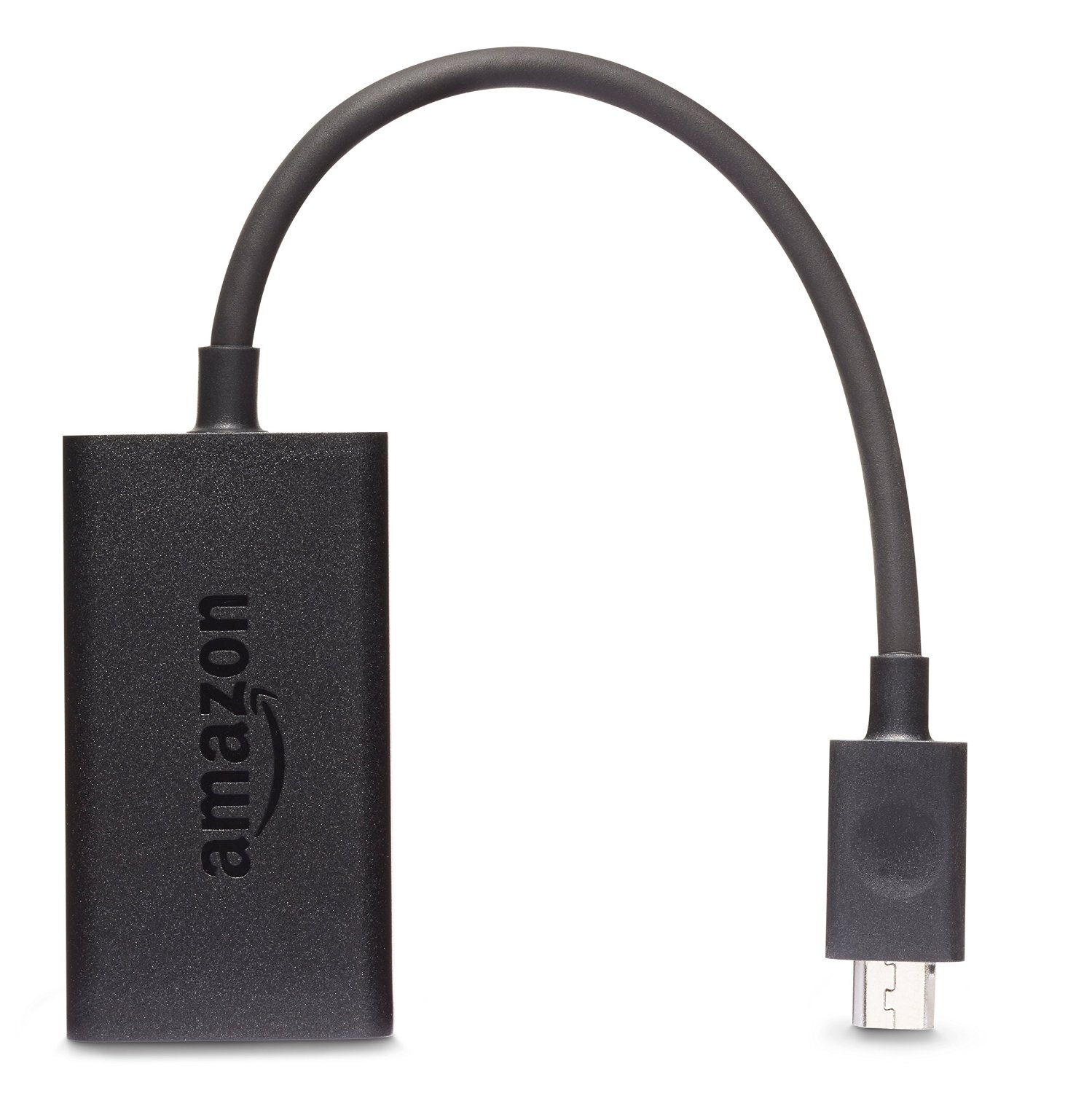
kindle_audio_adapterYesterday,  Amazon  announced the Kindle Audio Adapter  and VoiceView for the Paperwhite. The dongle, which would help the visually impaired navigate menus and read via text-to-speech was only included in a special accessible Kindle Paperwhite bundle. As soon as the news came out about the new Kindle Audio Adapter yesterday, a flurry of posts started on Kboards, Mobileread and the Amazon forums with people saying they wanted one.  Well, it turns out Amazon didn’t keep us waiting too long! Today, the adapter is available for purchase separately for $19.99.

The adapter is compatible with VoiceView for Kindle on the Kindle Paperwhite – this is the 7th generation device.  It plugs into the micro-USB charging port on the Paperwhite. The device requires headphones which are not included with the dongle. It looks like you could also use a speaker with a 3.5mm jack for listening as well.

As I noted in my post yesterday, the battery life while using the adapter is only about 6 hours of continuous use and you will not be able to charge the Paperwhite while using the dongle.

Amazon notes that the adapter “Works with millions of Kindle books that are compatible with VoiceView.” It is not yet clear what that means – I have been spot checking and, while I find books with text-to-speech enabled, I haven’t yet seen any titles listed as VoiceView compatible. Amazon also note that the adapter “does not support music or audiobook playback.”

I ordered mine today to try it. Are you interested in trying the adapter? And have you seen any titles listed as VoiceView compatible?

Found via The Digital Reader

Amazon introduces a hardware solution for accessibility

access_pwIf you’ve still been hoping for Amazon to bring back the text-to-speech for the e-ink Kindles, you may be out of luck. The death knell for that sounded today when Amazon announced it’s new VoiceView For Kindle feature today.  The feature uses Amazon’s text-to-speech language system (Ivona) to help visually impaired customers navigate the Kindle Paperwhite.

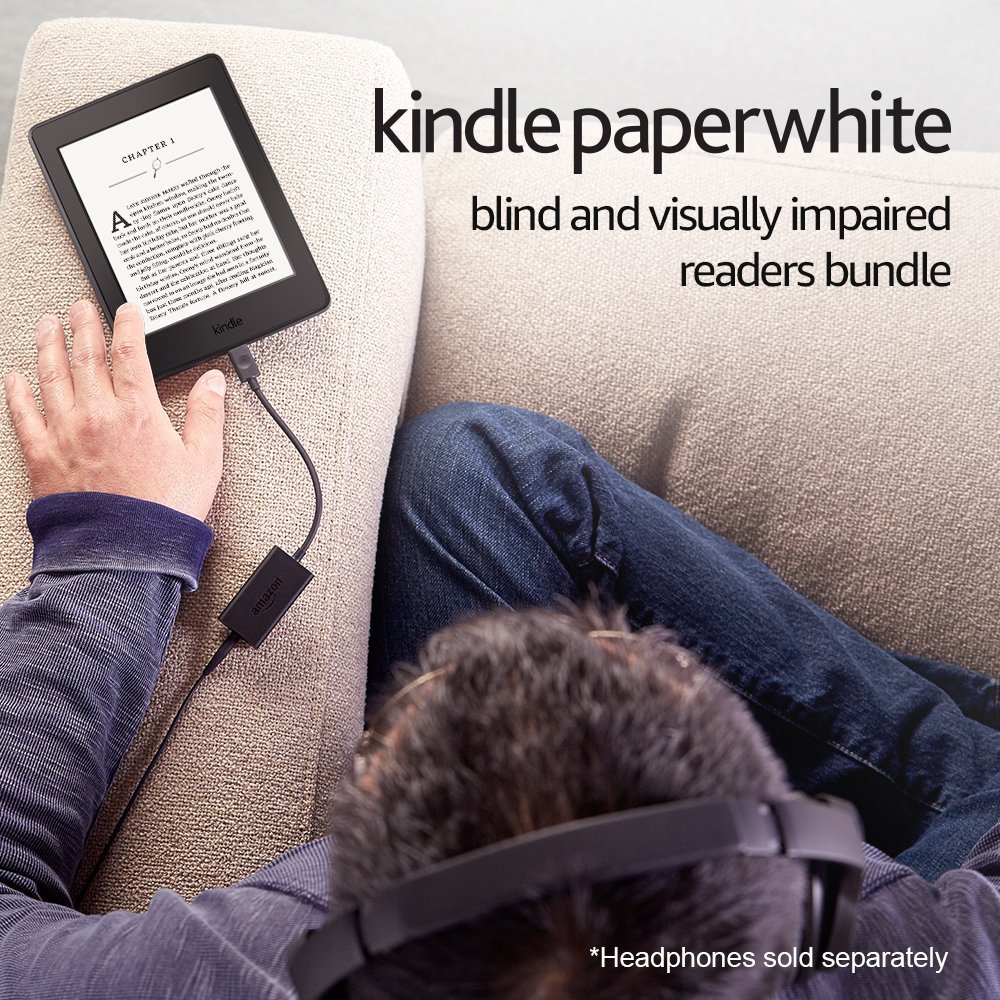
Previous generations of e-ink Kindles offered by Amazon used speakers are or a 3.5mm jack to provide the sound for text-to-speech. This solution uses a separate USB dongle that requires the use of headphones. According to Amazon’s blog:

Visually impaired customers will be able to use VoiceView for Kindle with the new Kindle Audio Adapter—an Amazon-designed USB audio dongle—to connect headphones or speakers, which then allows the ability to listen to and navigate the user interface, in addition to listening to books. The Kindle Audio Adapter was designed specifically to be used with VoiceView for Kindle.

The new Kindle Audio Adapter is available now as part of the Kindle Paperwhite Blind and Visually Impaired Readers Bundle.  The bundle includes the Kindle Paperwhite with Wi-Fi and Special Offers and the Kindle Audio Adapter. According to Amazon, purchasers receive a $19.99 Account Credit back for the purchase of the adapter, “so they won’t have to pay extra for accessibility.”  The dongle is promised to be available at a future date for other Kindle e-readers.  Update: the adapter is now available separately for $19.99. New story here.

My reaction to this? I am seriously underwhelmed. IMHO, the hardware dongle is the wrong approach and one much too late in coming.

As a bit of background, I should note that I myself am vision impaired. In the past, I worked managing federal grants (which included monitoring ADA compliance issues) and had also represented my community at an Easter Seals Project Action Seminar. So this is an area that really interest me, personally and professionally.

Text-to-speech has been a thorny issue for Amazon since the feature was first introduced on the Kindle 2. The Authors Guild strenuously objected to the feature and claimed it was, in fact, illegal. Amazon finally backed off and let the publishers decide whether text-to-speech should be enabled on a title. While the Kindle Keyboard, the Kindle DX and the 2012 Kindle Touch were text-to-speech enabled, subsequent models have not included the feature.

The hardware USB dongle approach is problematic for several reasons. First, the dongle solutions limits independence. It means that, at least for right now, I have to buy a special Kindle bundle in order to have accessibility instead of all Kindles providing that accessibility. In order to use the dongle, I would also have to purchase or provide headphones or a speaker in order to make the device in order to use the disability features. (This is a barrier a sighted person would not have if using a Kindle Paperwhite.)

What about people who already own Paperwhites? The Kindle Audio Adapter is not available separately so that I could make one of the Paperwhites I already own accessible. From the product page: 

Kindle Audio Adapter [is] only compatible with VoiceView enabled Kindle e-readers (does not support music or audiobook playback)

Will there be a software update for current Paperwhites? It will be interesting to see how Amazon handles that issue (if at all). According to ADA regulations, Amazon can’t legally charge for the adapter,  so I really doubt that we will see the item available separately.

This hardware solution also seems to dramatically affect battery life on the Kindle Paperwhite. According to the product page:

A single battery charge provides up to 6 hours of continuous reading while using Kindle Audio Adaptor [sic]

Notice the difference in battery power. Current Paperwhites are supposed to get 30 days use at a half an hour of use per day or the equivalent of approximately 15 hours. That’s two and a half times the battery life you will get when using the dongle.

That battery life becomes a real concern as the dongle is using the same port that the Kindle uses for recharging. That means that you cannot use accessibility features and charge the Kindle itself at the same time. I see that as an issue that is going to severely limit the usefulness of the connected Kindle.

I intend to be watching this feature very closely to see how this story develops. We will see how this new feature actually performs in practice. It will be interesting to see if Amazon opens this up to existing Kindles and just how quickly it rolls out to other Kindle models.

Found via KindleChronicles / Teleread
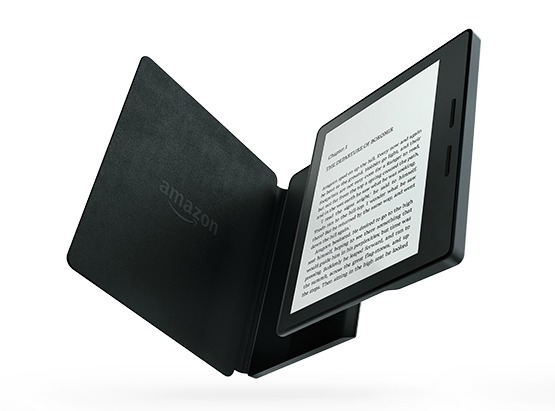
June ship date for the new Kindle Oasis?

day-planner-828611_640Evidently , there is quite a bit of interest in the new Kindle Oasis. On the Amazon’s Kindle Forums, customers are already reporting ship dates for some models pushed back until June.  Earlier today, I was already seeing “Due to popular demand, some configurations will ship after April 27th. See the latest shipping dates at checkout” notices on the page.

From what I am reading, the issue seems to be tied into specific cover color choices and whether or not you want the no special offers option. The no offers version seems to be the one with a later ship date. Here’s a tip if your color option is in stock and you don’t want to delay delivery: Order the special offers version and see if you can pay Amazon to remove the offers after the fact. On every Kindle or Fire that had special offers included, Amazon has allowed customers to pay a fee to opt out. The Kindle Oasis isn’t listed yet, but the device is not technically released.

Here’s the Amazon page with instructions for removing special offers.