So that $50 NOOK has malware….

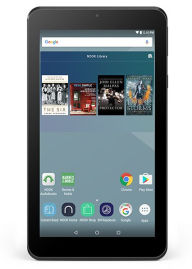
new_nookIf you had wondered if that NOOK $50 tablet was too good to be true, turns out you were right. Remember last month’s story on that ADUPS malware that was infecting the Blu R1 HD phones and sending data back to China? Yeah, that one. Well, as it turns out, the same malware is affecting the NOOK BNTV450. And, unlike the BLU scenario where an update was issued, 9 to 5 Google is reporting that there seems to be no way to disable the ADUPS on the NOOK device.

If you want the technical info on the malware, there’s a lot more information on the issue in the Linux Journal article that apparently broke the story. The article notes that Google has blacklisted the ADUPS agent and that a user can expect “zero privacy” from a device with this agent installed. Barnes and Noble has yet to comment on the story.

Since I bought one of these last month, I am not a happy camper. Although I hadn’t had time to do much with it (maybe a blessing in disguise), I was already past the 14 day return window that the online store allows. I have performed a factory reset on my device while I reach out to Barnes and Noble on the matter.  I suggest you do the same or use at your own risk. While the ADUPS does not seem to be active at the moment, that can change at any time.

To reset the device, go to Apps> Settings>Backup and Reset. (Note that the correct one is the grey option that says just settings, not the green NOOK settings option.) Everything will be erased from the tablet, so make sure to transfer any files you want to keep.

More on this as it unfolds. I will update with any news from Barnes and Noble. I am off to change passwords. 😦

See an update to this story here.

More Fire de-registration issues for children’s tablets

kids_freetime_xSeveral times this year, owners of Fire tablets have had issues with Amazon Fire tablets spontaneously unregistering. This happened in back in April and in June (see here and here). The problem seemed to be especially prevalent in Fires that had Freetime installed.

Well, it seems that the issue has been happening again over the past week. I’ve had a number of Fire users reach out to me here on the blog trying to find out if there has been a fix for the problem. Just like in June, the problems seem to be related to Fires running Freetime under child profiles. The Fires de-register and all app data is lost. Since most of these are tablets used by children, it is particularly frustrating for parents and children alike.

The bad news, from what I can find, is that Amazon still does not seem to have an explanation for the problem.

While your best bet for assistance is to call Amazon Kindle support, there are several threads on this issue on Amazon forums that may be helpful:

You can stay updated on the issue by clicking the “Track this discussion” button located on the right side of the screen on any of the forums.

Many parents are complaining that Amazon isn’t being helpful on the issue. More on this to come….

How does the new $50 NOOK tablet compare to the $50 Fire?

nook_tab_2016

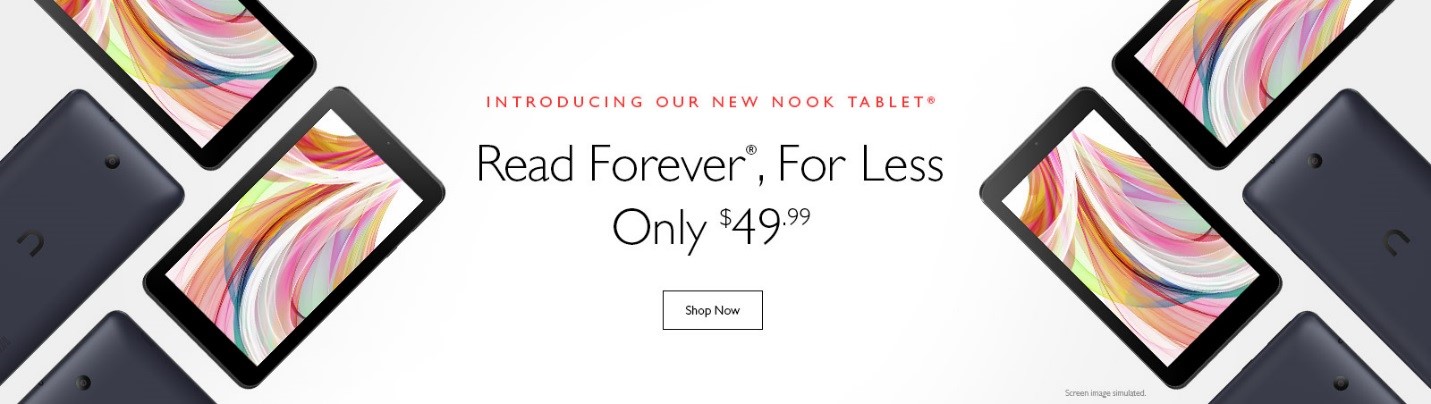
Barnes and Noble has a new NOOK tablet coming on November 25th. Most recently, B & N has had a line of tablets co-branded with Samsung, but now is getting back into the tablet game again with this new budget friendly device. It’s priced at $50, clearly competing with Amazon’s 7 inch Fire tablet.

Here’s a comparison table of the specs for the two devices:

Fire 7” NOOK
Price Starting at $49.99 $49.99
Screen Size 7″ IPS Display 7″ IPS Display
Resolution 1024 x 600 (171 ppi) 1024 x 600 (171 ppi)
Colors Black, Magenta, Blue, Tangerine Black
Processor Quad-core 1.3 GHz Unknown
Alexa Enabled Yes No
Google Play No Yes
Content Access to millions of movies, TV episodes, songs, books, apps, games, and more via AMAZON Audio: M4A, 3GA, AAC, MP3, FLAC, WAV, OGG, AAC

Video: MP4, 3GP, WMV, ASF, AVI, FLV, MKV, WEBM

Gallery (pictures): JPEG, GIF, PNG, BMP

Reader/Other: PDF, ePUB, DRP, ePIB, HWP, HWT, HML, HWPX, DOC, DOCX, TXT, RTF, DOT, DOTX, HWDT, XLSX, XLSB, XLS, XLSM,XLTX, XLTM, XLT, CELL, HCDT, PRN, TXT, CSV, TSV, HTML, HTM, PPTX, PPT, POTX, THMX, SHOW, HSDT, HTHEME

Audio Mono speaker,

Built-in microphone

Unknown (website specs only list headphone jack)
Storage 8 or 16 GB

(expandable by up to 200 GB microSD card)

Free unlimited cloud storage for Amazon content

8GB on-board memory

Add up to 128GB with an optional microSD card and store eligible eBooks (NOOK Books® with Digital Rights Management enabled only) to make more room. All of your NOOK® purchases are stored for free in the NOOK Cloud.

Cameras VGA Front-facing camera +

2 MP rear-facing camera with 720p HD video recording

Front: VGA

Rear: 2 MP

Connectivity Single-band Wi-Fi b/g/n Dual-Band (2.4GHz/5GHz) Wi-Fi (802.11 a/b/g/n)


Battery Life* Up to 7 hours of reading, surfing the web, watching video, and listening to music Up to 7 hours of reading, watching videos and web browsing
Weight** 11.0 oz (313 g) 8.80 oz
Dimensions** 7.5” x 4.5” x 0.4”

(191 x 115 x 10.6 mm)

7.40” x 4.2” x 0.39”


Customer Support Screen Sharing + email, web, and phone In-store support provides assistance for setup, connectivity, and basic troubleshooting when you visit Barnes & Noble bookstores

The specs on the new NOOK tablet seem pretty comparable with the 7″ Fire. There are a few pluses for the Nook. Unlike the Fire, the new Nook doesn’t have the special advertising offers on the lock screens. It also runs a straight version of Android (6.0) and has the Google Play store installed on the tablet. (You can install the Play store on the Fire, but it involves work and whether it continues to function is at the mercy of software updates.) The new NOOK tablet also features dual band WiFi rather than the single band sported by the Fire.

The Fire, of course, now has voice integration with digital assistant Alexa installed on the device.

The tablet is available for pre-order now with free shipping on the Barnes and Noble website. Tablets begin shipping on Friday, November 25, 2016. It will also will be available in stores on Black Friday.

I ordered one of the these new NOOK tablets and will be posting a review after I have played with it for a while. 🙂

And PS: If you are interested in one, at least for the time being, the Samsung-branded NOOK tablets are still available (and at sale prices!).

Cases and Covers for the new Fire HD 8

fire_hd8_coverMy new Fire HD 8 is due to arrive on Wednesday and I haven’t bought a case for it yet. I prefer not to buy the Amazon cases, partly because of the cost (I like to change out cases). I had been checking the measurements of the 2015 devices and covers and comparing them to the new ones. The new Fire HD 8 is ever so slightly narrower and thinner, so I wasn’t sure the old cases would fit the new tablets.

Today, when I was looking at cases, Amazon flashed a warning on the product page that said “We want you to know: This product is not compatible with the All-New Fire HD 8 (2016 release). Explore compatible products.

Since we now know definitively that these 2015 model covers will NOT fit the new devices, for right now at least, the only covers available are by Amazon. The available Amazon cases are:

The Amazon covers will be available upon the Fire HD 8’s  release on September 21, 2016.

The good news is, there are other third party cases and covers on their way. Covers will soon be available from manufacturers like Fintie and MOKO. I have bought cases from both companies and been satisfied with them. Both offer decent quality budget cases that include Vegan leather options. Amazon currently has these cases available for pre-order, however, NONE OF THESE ARE CURRENTLY ELIGIBLE FOR PRIME SHIPPING. The cases are showing availability dates starting September 22 and prices start at $4.99 plus shipping. In the past, Amazon has add these covers to its inventory (and Prime shipping) fairly quickly. All cases that will fit the new Fire HD 8 are marked “All-New Amazon Fire HD 8 (6th Generation, 2016 release)”.

If you happen to need a case for the older Fire HD 8, you must search for accessories marked “Amazon Fire HD 8 Tablet (Fire 8″ HD Display 5th Generation – 2015 release)” to make sure you get the right sized item.

Pictured case is the Fintie Folio Case for All-New Amazon Fire HD 8 (6th Generation, 2016 release), Slim Fit Premium Vegan Leather Standing Cover for Fire HD 8 Tablet (2016 6th Gen Only), Starry Night.

Amazon announces all-new Fire HD 8 tablet

new_fire_8For the last few weeks,the Fire 8 HD tablet has been sold out on Amazon. Today, Amazon announced an all-new version of the Fire 8 HD tablet. The new version is cheaper, too: $89.99 compared to $149.99 (with special offers). The new Fire promises to incorporate Alexa digital voice assistant from the Echo line of products into the Fire 8. According to Amazon’s website, other products in the fire line will be also receiving the Alexa update in the future .

The new device has a faster processing speed, more storage, an SD slot increased battery life and features a 1200 by 800 189 PPI resolution screen. You can find more specs listed here.

I ordered one of these for myself to give it a try. I have an aging Samsung Galaxy Note 8 tablet which I have been thinking of replacing. Like the Fire 8 HD, the Note 8 also has a 189 ppi resolution screen and I frequently use it for reading Scribd and Pocket articles. I bought one of the $50 fire 7 tablets last year and found the 171 ppi resolution bad enough that, with my vision problems, I won’t use it for reading. The 189 ppi screen is the minimum I find acceptable for reading.

Personally, my ideal would be an Alexa update for my favorite Fire tablet, the Fire HD 6. The HD 6 has a 252 ppi screen resolution that makes for really enjoyable reading experience on a tablet. There’s no word yet on whether that model will receive the update that incorporates the Alexa features. Amazon has had an ongoing price reduction on the HD 6, so they could be clearing stock for a new version. You can pick up an HD 6 for $69.99.

The new devices will be released on September 21, 2016. Like the other Fire tablets, it comes in four color options: Black, blue, magenta and tangerine.  Amazon is offering a payment plan for the new device where you can pay in 5 monthly payments of $18. 🙂

And, for you fellow case fashionistas, I am already checking into the case/cover situation and will have an update soon.

What about you? Is a new Fire tablet on your radar?

You can now pre-order the Kobo Aura One and Aura

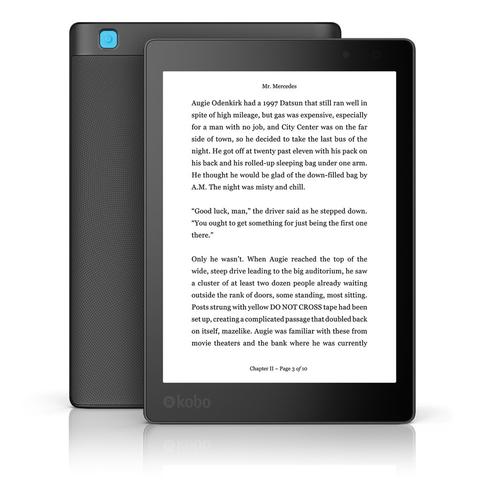
Kobo_aura_oneTwo weeks ago, I wrote about the details on Kobo’s two upcoming  e-readers, the Kobo Aura One and the Aura Edition 2. Both e-readers are now available for pre-order at the Kobo store.

The Kobo Aura One features a 300 ppi 7.8″ Carta E Ink screen with 8GB of memory. It has an enhanced IPX8 rating making it waterproof for up to 60 minutes in two meters of water. It also features a lighting system called ComfortLight PRO which allows for adjustment of the front-lighting and includes an orange nighttime reading light to cut down on blue light emissions which can interfere with sleep. It also directly integrates OverDrive library software with the Kobo store.

The Aura One retails for $229.99 and includes free shipping for pre-orders.

The Kobo Aura Edition 2 has a 212 ppi 6″ Carta E Ink screen, 4GB of memory and ComfortLight adjustable front-lighting (without the orange nighttime reading light). The e-reader seems to be a newer version of the Aura HD.

The Aura Edition 2 will retail for $119.99 and includes free shipping for pre-orders.

I am very interested in the Aura One because of the Overdrive library integration, although I really don’t want a bigger e-reader. I am going to watch this one to see what the reviews are like once the Overdrive component goes live.

What about you? Are you interested in either of new Kob e-readers? If you get one, please leave a comment and let us know what you think.

Kobo announces Kobo Aura One and revamped Aura Edition 2

Kobo_aura_oneA couple of weeks ago, we got the confirmation that Kobo planned to be releasing a new e-reader in mid-August. Today, Kobo announce not only one, but two new e-readers for their line up.

The big news is the announcement of the Kobo Aura One. The device has a 300 ppi 7.8″ Carta E Ink screen with 8GB of memory. It has an enhanced IPX8 rating making it waterproof for up to 60 minutes in two meters of water. It also features a lighting system called ComfortLight PRO which allows for adjustment of the front-lighting and includes an orange nighttime reading light to cut down on blue light emissions which can interfere with sleep.

One of the most interesting features promised for the new device is the direct integration of OverDrive library software with the Kobo store. OverDrive is owned by Rakuten, Kobo’s parent company and will be available for use in Canada, the United States, the United Kingdom, Australia, and New Zealand. The simplification of of library borrowing is a big, big plus in favor of this device.

There are already a few early reviews on the tech sites:

The Kobo Aura One will be available for pre-order on August 30, 2016 for $229.99. It will be available in the US on September 6, 2016.Specs and more info on the product page here.

Also announced today was the Kobo Aura Edition 2  The device has a 212 ppi 6″ Carta E Ink screen and seems to be a newer version of the Aura HD. You can see the specs here. The Aura Edition 2 will retail for $119.99 and will also be available for pre-order on August 30, 2016.

Anybody else excited to see how the OverDrive integration works and if it is coming to the other Kobo devices? That’s the feature I’m the most interested in. How about you?

Amazon announces new Kindle

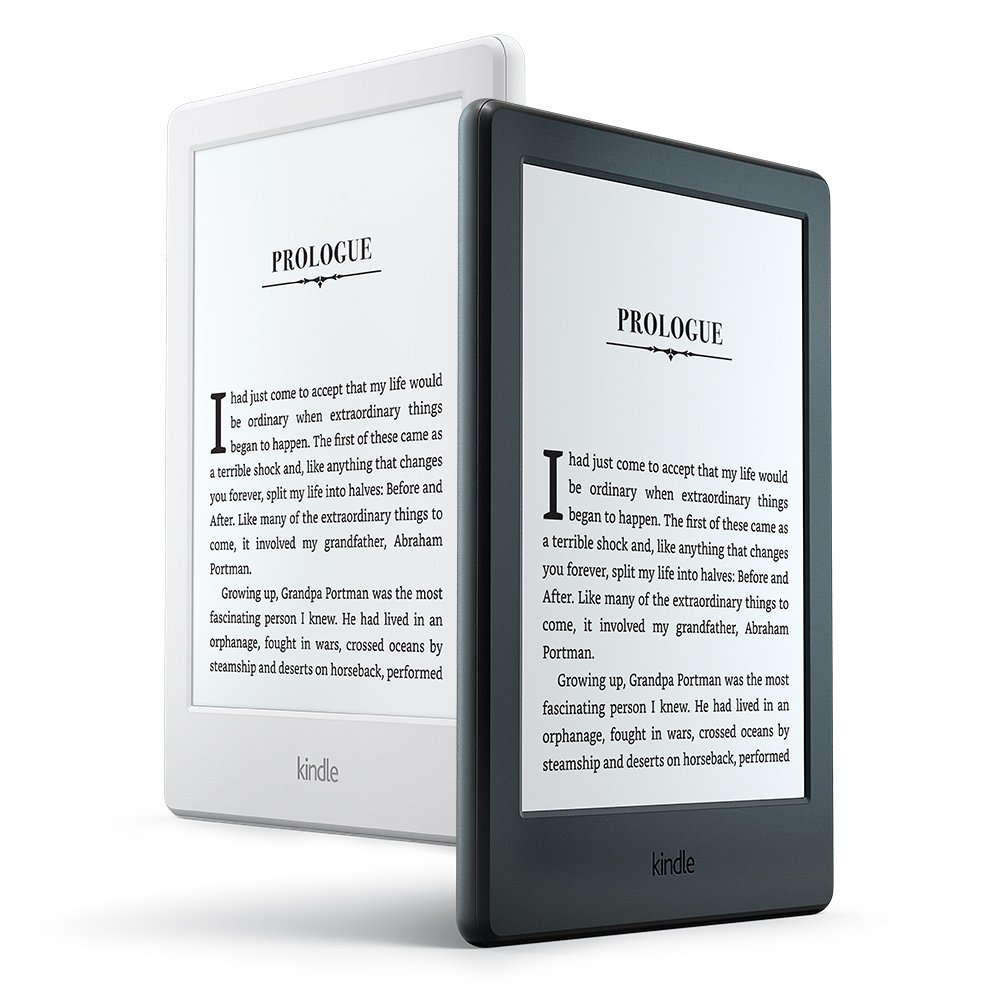
new_kindleIf you had looked at the Kindle product page over the last few days, you might have noticed that the basic Kindle was sold out. That tends to be somewhat unusual as they are generally consistently in stock. So maybe, combined with the rumors of a new device, it is really not that much of a surprise that today, Amazon announced an all-new Kindle with some pretty nifty features.

  • The new Kindle comes in both black and white. We haven’t had a white Kindle here in the US for a while.
  • The new device is slightly smaller and lighter than the previous model. It also has a slightly more rounded design
  • The new Kindle has 4GB of storage and twice the memory of the old one (it now has 512MB).
  • The device is Bluetooth enabled. This is an added accessibility feature that readers who are visually impaired can use the VoiceView feature to navigate and read the on-screen content without the need for an adaptor. Hopefully, we will also see more Bluetooth compatible feature in the future – I want a foot switch for page turns so I can read and eat pizza! 🙂
  • Over the coming weeks, Amazon will be adding an Export Notes feature.  This will enable users to export their notes to a PDF file that can be printed out or exported to a spreadsheet.

Best of all, the price for the new Kindle is still $79.99 (with special offers, $89.99 without special offers). The new Kindle is available for pre-order now and is also being offered for 5 monthly payments of $16.00 payment plan. The e-reader will ship within the next few weeks.

Unlike the Kindle Paperwhite, the new Kindle does not have a built in light. Amazon also announced that the Paperwhite would also be available in white.

3rd Party cover for Kindle Oasis coming in May – without a battery

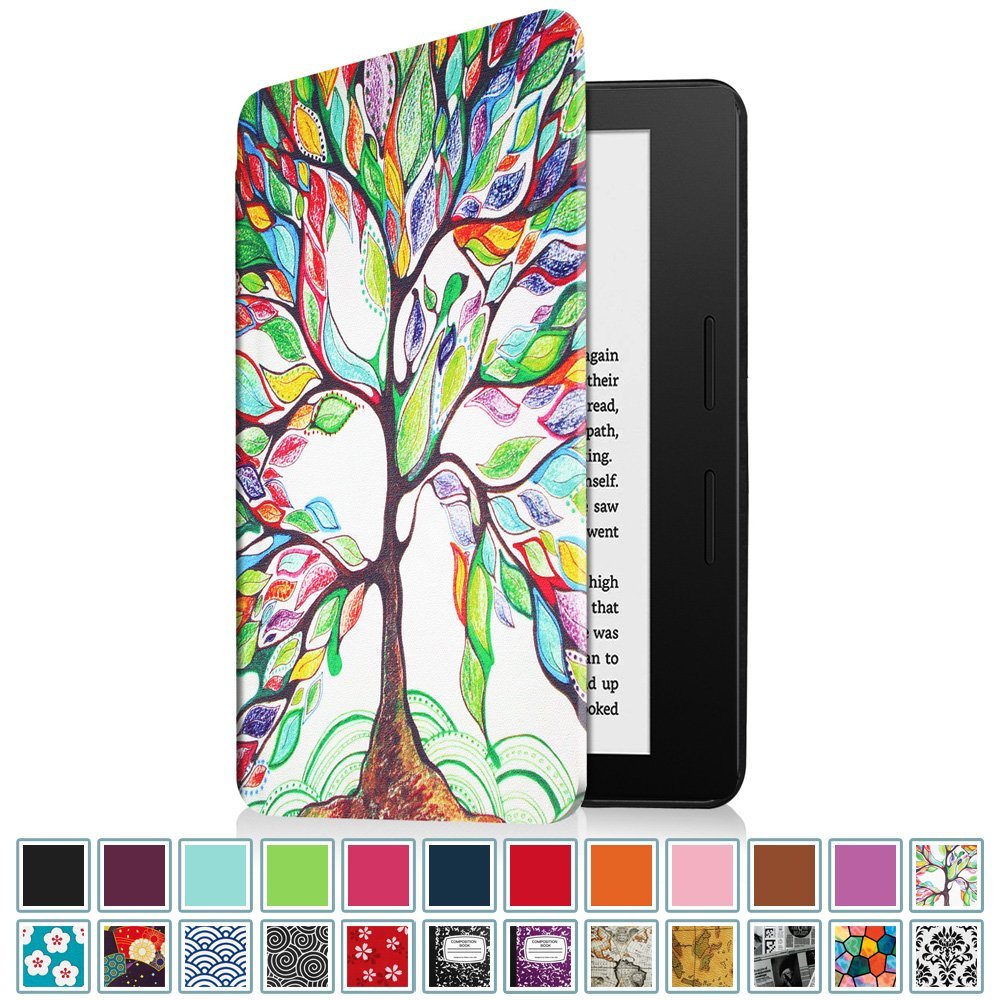
fintie_oasisWell, that answers at least a part of the question about whether or not Amazon would allow third-party covers for the Kindle Oasis. A non-Amazon cover, the Fintie Kindle Oasis Case, is going to be available in May. Spotted on Amazon, the cover is made by Fintie, a company that makes quite a few covers for Amazon Kindles and Fire tablets. 

Going by the description and the pictures, it seems that the cover does not have the battery and charging capabilities of the OEM Amazon Kindle Oasis cover. While this cover certainly provides more color choices and variety as well as an alternative cover design, especially for vegans who don’t want leather, it will not extend the battery life of the device like the Amazon cover.

From the description:

Protect your New Kindle Oasis with this Fintie Smartshell Case at all times! The Fintie Smartshell Case sports a simple and classy design. The back shell is made from durable polycarbonate material so you do not need to worry about any damages. It offers an easy clip-on application. The cover is designed to fold back, so you can read comfortably with just one hand. Our innovative cover was designed to specifically fit your Kindle Oasis and secures your device without any hinges or straps. Thin, lightweight, and durable, this cover is perfect for taking Kindle Oasis wherever you go.

The cover comes in a variety of colors and designs and has a wake to sleep magnetic clasp built into the cover. The cover is sold and shipped directly from Fintie and will be available May 18, 2016. Cover prices start at $5.99 plus shipping (It’s not Prime Eligible).

What do you think? Are we going to see battery cases from other vendors?


5 Reasons Why I’m Not Buying a Kindle Oasis… Yet

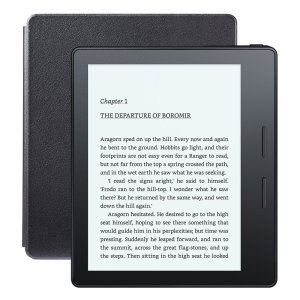
oasisTomorrow is the official release Day for the Kindle Oasis. Although it may seem a surprising thing for a tech blogger to do, I have decided to wait before buying the latest hardware. And, also probably surprising, is the fact that price is not one of my reasons. 🙂

So why am I waiting to see if I want to buy an Oasis at all?  Here’s my five reasons:

Battery Life:

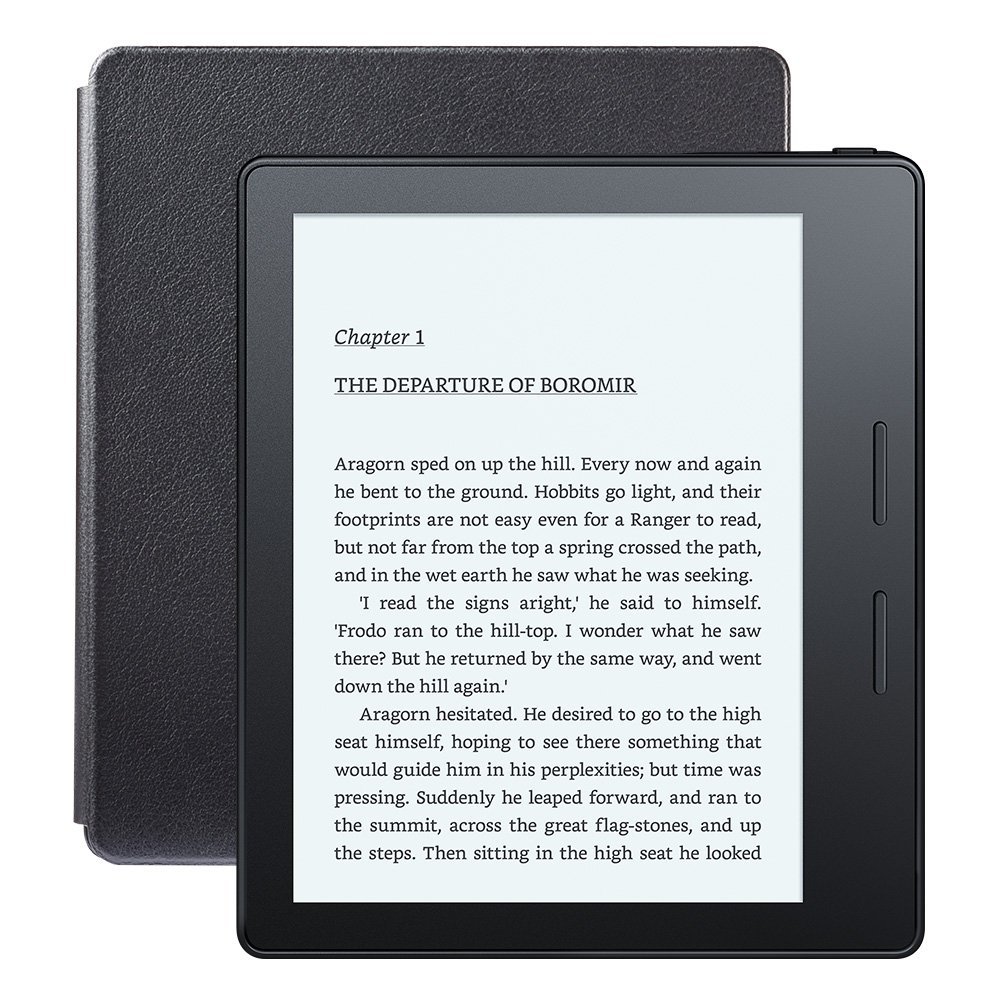
According to Amazon, the current basic Kindle battery life is four weeks, based on a half hour of reading per day with wireless off. The Paperwhite and the Voyage promise six weeks with wireless off and the light setting at 10. The Oasis specs indicate “A single charge with cover [emphasis added] lasts up to eight weeks, based on a half hour of reading per day with wireless off and the light setting at 10.”

But how is the battery on the device itself? According to most write-ups I’ve seen, the Oasis battery itself only last for two weeks and the rest of the battery life comes from the cover. That’s two weeks at 1/2 hour a day with the wireless turned off or approximately 7 hours if you are reading without the cover. That is a much shorter battery life than the devices we have now. I do not want to pay more for a device with less battery life than its predecessor, at least if you want to use it without the cover.  And what happens if that cover fails? (Which brings me to my next point.)

The Integrated Cover:

If you have read this blog for very long, one thing should be fairly obvious:  I am admittedly a device cover junkie. For every device I own, I have bought at least one cover. I gift devices along with a cover. I will buy a new cover just to spruce up my Kindle. I have them in all sorts of materials, styles and colors and in all price ranges. But generally speaking, I do not like Amazon covers. Part of this is based on my previous Amazon-integrated cover experience with the cover for the Kindle Keyboard. It is also the reason that I have concerns about an Oasis cover failure.
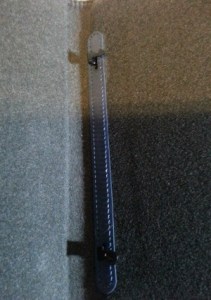
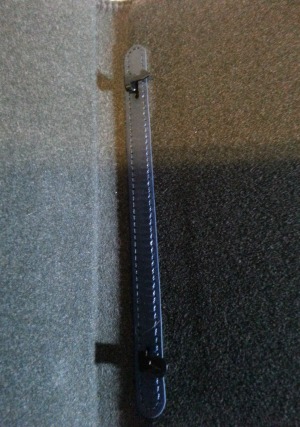
KK_cover_hooksIn 2010,  when Amazon came out with the third generation Kindle, now called the Kindle Keyboard, they designed an integrated leather cover that had hooks to hold the Kindle in place. This cover came in two styles: one with a light ($60 at the time) and one  without the light ($35). (At the time, 3rd party lights like the Kandle and the Mighty Bright were popular. This was before the Paperwhite, of course.) And it was a huge disaster.

It turned out that the hooks that went into the Kindle caused a electrical short that interfered with the Kindles in the version without a light. It caused a malfunction and a lot Kindles were deemed defective before they figured out the problem.  I, of course, bought the one without the light and wound up sending my first Kindle Keyboard back. AT one point, I think Amazon started refunding people who  had bought the cases, but I wasn’t among that group. (I still have it: I pulled it out the week they announced the Oasis to take a picture.And if anybody wants it, let me know!)

Needless to sat, after that experience, I have never bought another Amazon cover and I am not wild about the idea of a battery operated cover from Amazon until I see how it holds up. I waited to buy the $50 Fire until third-party covers were available.

I have already written here about the concern some vegans have about the leather cover. I would really like to see a variety of 3rd party covers available for purchase. I will be curious to see if Amazon allows other companies to make covers for the devices or decide to keep the cover business for themselves.

Wireless problems with the Paperwhite and other devices:

One of the issues that has come up consistently with the the Fire tablets, Fire TV sticks and the Kindle Paperwhite has been a constant stream of complaints about the wireless connectivity of some of these devices. I’ve experienced firsthand a tendency to disconnect from the internet and an inability to find certain wireless signals. I have read thread after thread of complaints like this one on the Amazon forums. Most people say that Amazon doesn’t acknowledge the problem. I had to change all my router setters to different channels just to get my Paperwhite to work on WiFi.

Before I buy a new, more expensive Kindle, I want to know that people are not having  problems with the wireless on the first generation of the new device. I still see posts on this problem continuing with the Paperwhites.

Persistent build problem rumors on the first generation Paperwhite and  Voyage:

When both the first generation Paperwhite and the Kindle Voyage first came out, there were a lot of comments about the uneven light and off  colors displaying on the screen by the LEDs on the device. I still hear rumors about this problem with the Voyage, along with reports of bad pixels as well as pixels that are stuck on the screen.

This is not just a minor update. This is a totally redesigned device. But since that’s the case, and particularly since the Oasis has a substantially higher price point than the previous models, I want to make sure that this is a really solid build. I don’t have a problem waiting for the Oasis 2 if this one has problems that need to be addressed.

Lack of improvements:

One of the curses of modern technology development is the concept of incremental hardware upgrades. Yes the Oasis has a few shiny new abilities. Buttons? Sure. Asymmetrical design and hibernation mode sound interesting. The accelerometer? Not such a big deal for me as I find the ones on the Fire tablets too sensitive for the slight angle that I read at in bed. And thinner? Meh. I am still going to want a cover to protect the device, even if it doesn’t have a battery. And thinness as the expense of battery life is not a good trade off in my opinion.

But what else doesn’t it have?Amazon still doesn’t have a waterproof e-reader. Are they ever going to bring back an e-ink reader with text to speech ability? I still want bluetooth capability so I can connect an external keyboard for notes in non-fiction books. I want to turn pages without using my hands! I want more incremental font choice than the eight Amazon gives us. And with my vision problems, I want weighted fonts that have more contrast for my eyes.

So yes, the Oasis has some good new features, but not enough right now to justify an expensive upgrade.

To be clear, this does not mean that I won’t buy the latest Kindle model. Before I paid $400 for my first generation Kindle back in early 2008, I actually spent several months reading reviews and feedback about the device. Since I had worked with technology for years, I wanted to make sure that I could live with it if the device quickly became obsolete or the quality wasn’t worth the price.  And for what it’s worth, I passed on the Kindle Voyage. So for now, I will be watching reviews and customer forums very carefully to see if this is a device I want to spend my money on.

So how about you? If you bought one, please leave me a comment and let me know what you think. If you decided not to buy,let me know that, too. Were your reasons the same as mine?

Kindle keyboard cover pix © Glinda Harrison/Ebook Evangelist